Touch Screen Test
Count how many fingers your screen sees at once, paint it to find dead zones, and watch for ghost touches.
Touch the test area
Put one finger down, then more. Each touch gets a ring and a number.
Runs on your device. Nothing you touch or draw is recorded or sent anywhere.
How to use the touch screen test
Open this page on the phone, tablet or touch laptop you want to test. The three tests sit on one device: switch between them with the keys at the top. Take off gloves and clean the glass first, because water and grease change how a screen reads touch.
- Step 1Count the touchesIn Multi-touch, put one finger on the test area, then add more. Each touch gets a ring, and Most at once keeps the highest count.
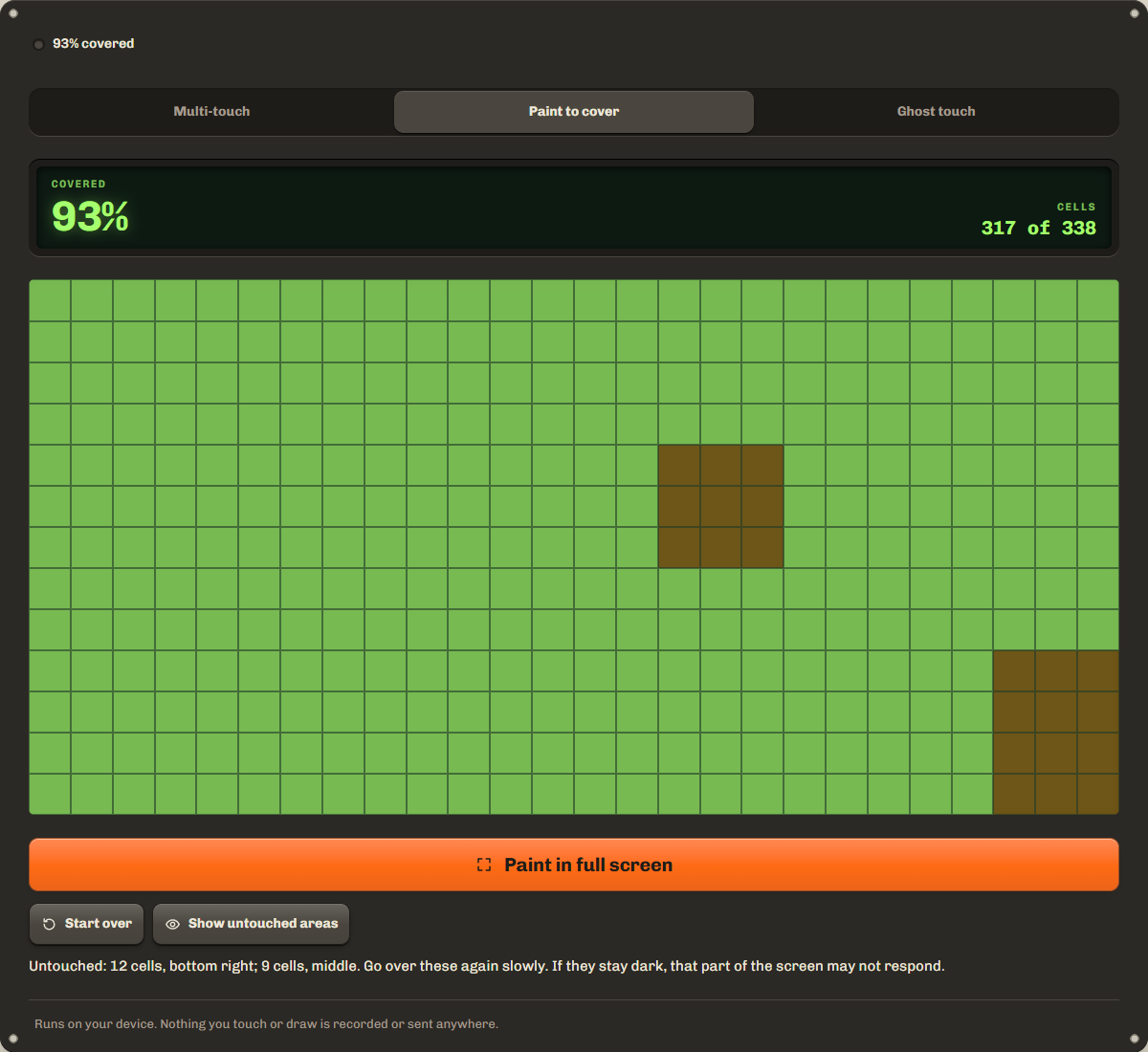
- Step 2Paint the whole screenPick Paint to cover, tap Paint in full screen and drag a finger slowly over everything. Cells that stay dark did not register a touch.
- Step 3Watch for ghostsPick Ghost touch, tap Start the watch and put the device down. For 30 seconds, every touch it sees is counted and marked.
Reading the results
| Test | Working screen | Sign of a problem |
|---|---|---|
| Multi-touch | The count goes up with every finger you add, and each ring follows its finger. | Rings jump, vanish or appear where no finger is. |
| Paint to cover | Every cell lights up and the count reaches 100%. | A patch of cells stays dark however slowly you go over it. |
| Ghost touch | No touches in 30 seconds with nobody touching the screen. | Touches are counted and marked while the device lies untouched. |
One bad result is a reason to look closer, not proof of a fault. Clean the screen, take off the screen protector if you can, restart the device and run the test again before you decide.
Finding dead zones
A dead zone is a part of the screen that does not react to touch, often a strip along an edge or a patch where the glass took a knock. Paint to cover splits the test area into cells of about 44 px, close to the size of a fingertip, and lights each cell your finger passes over. Fast swipes are filled in along their line, so you do not have to tap every cell.
Use Paint in full screen, because the edges are where dead zones hide. On iPhone, Safari cannot put a page in full screen, so the test fills the window instead: the very top and bottom of the screen stay outside it. Once you pass 90%, or when you tap Show untouched areas, groups of dark cells are shaded and named, such as "4 cells, top right".
Ghost touch: how to check and what to try
The ghost touch watch gives you 3 seconds to put the device down, then counts every touch for 30 seconds. With nobody touching the glass, the right answer is zero. Keep the screen on and the page open while it runs; the test asks the browser to keep the screen awake. If touches appear, the marks show where.
Apple's advice for a screen that is too sensitive or responds on and off, from its screen support page:
- Restart the iPhone or iPad.
- Make sure the screen is clean and free of debris or water.
- Disconnect any Lightning or USB-C accessories. If that helps, try a different outlet, cable or charger.
- Remove any case or screen protector.
Google's Pixel touch help gives similar steps: remove the case or screen protector, take off gloves, peel off stickers over the screen or sensors, and make sure the screen is clean. It also lists Pixel settings for touch sensitivity and screen protector mode, and says that a problem in only one app is one for that app's developer. If ghost touches stay after all of this, the screen likely needs service.
Privacy: the test runs in your browser. Nothing you touch or draw is recorded, saved or sent.
FAQ
How many touches should my screen detect?
It depends on the device, and makers do not always list it. Most phones and tablets follow several fingers at once, but a browser can see fewer touches than the hardware supports, and some laptops and monitors with touch follow only a few. Use Most at once as the number your screen gives this browser. If it stops at 1 on a screen that should do more, try another browser.
Why does a cell stay dark when I paint over it?
Each cell is about 44 px, roughly a fingertip. A cell can be missed when you swipe fast, so go over it again slowly. If a whole patch stays dark after several slow passes, and it is in the same place after a restart and without a screen protector, that part of the touch layer is likely not responding.
What is ghost touch?
Ghost touch is when a touch screen reacts with nobody touching it: apps open, the keyboard types or the screen scrolls on its own. Dirt or water on the glass, a lifting screen protector, a faulty charger or cable, a software problem or damage to the screen can all cause it.
Does it work on a laptop or monitor with a touch screen?
Yes, in any browser that supports touch through Pointer Events, which modern browsers do. With a mouse, the test still works with one pointer, so you can try it, but it cannot test touch.
Is anything I touch recorded?
No. The test runs in your browser. Touch positions are only used to draw the rings and the cells, and nothing is saved or sent anywhere.
Related tools
All device testsCheck the display itself for dead and stuck pixels.
Catch a mouse that clicks twice on its own.
See if a controller's sticks move on their own.
Check the phone's tilt and motion sensors with a 3D view.
Maintained by NabeelUpdated Nov 8, 2026.