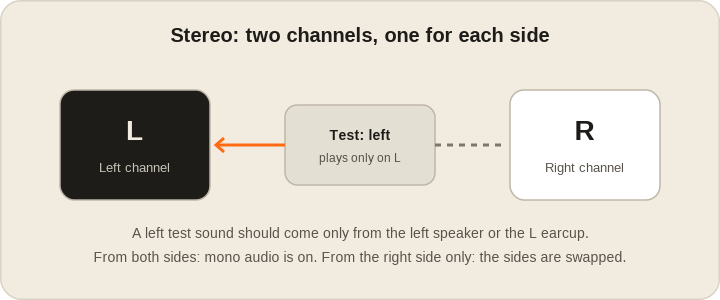
To test left and right, play a sound that goes to one channel only and listen where it comes from. Play a left test sound: it should come only from the left speaker or the left earcup. Then play a right test sound: it should come only from the right. If a side is silent, check the balance setting and the cable or Bluetooth connection. If both sides play the same sound, mono audio is on. If left comes from the right, the speakers are placed the wrong way round, the headphones are on backwards, or the wires are swapped. A speaker test plays these sounds in your browser in a few seconds.
Left and right in stereo
Stereo sound has two channels, left and right. Music and films put different sounds in each, so a guitar can sit on the left and a piano on the right. A stereo test sound uses this: it sends a voice or a tone to one channel and silence to the other. If the setup is right, you hear it on one side only.
How to test speakers left and right
- Turn the volume down to a low level first.
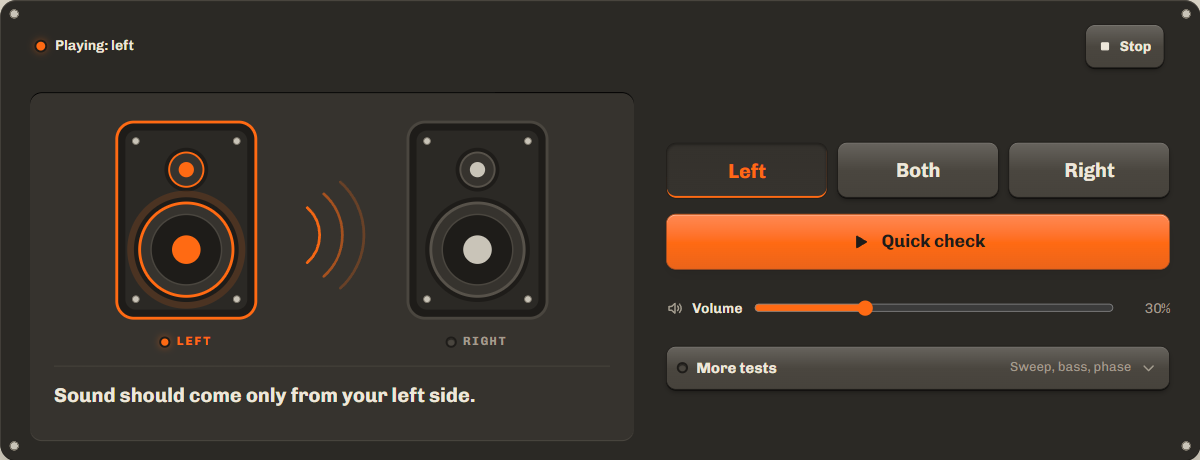
- Open the speaker test and play Left. Listen: the sound should come only from the left speaker.
- Play Right. It should come only from the right speaker.
- Play Both to check that the two sides sound alike in level and tone.
- Stand in front of the speakers, midway between them, when you listen. If you stand close to one speaker, it will seem louder whatever plays.
How to test headphones left and right
Headphones are marked L and R, often inside the band or on the earcup. Put them on that way round, then:
- Set a low volume.
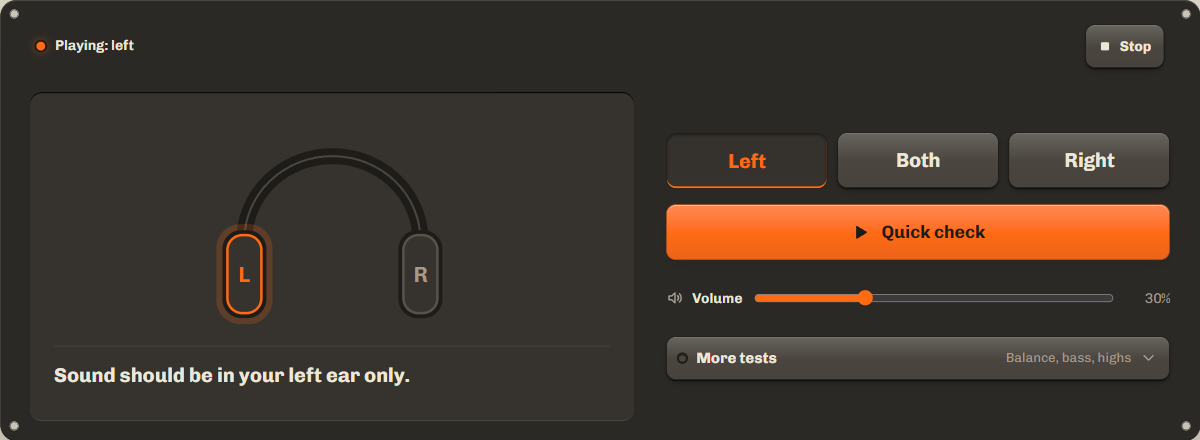
- Open the headphone test and play Left. You should hear it only in your left ear.
- Play Right, then Both.
For true wireless earbuds, also check that both buds are connected. Many earbuds can play from one bud alone, and the other may only reconnect after you put both back in the case for a moment.
Result: one side is silent
Check the balance first, because it is a quick setting and it is often the cause. The paths below are the ones on the makers’ help pages:
- Windows 11: Settings > System > Sound, select your output device, and check the left and right channel sliders. Microsoft has a page for Bluetooth audio that plays in only one channel.
- Mac: System Settings > Sound > Output, select the device, and set the Balance slider to the middle (Apple Support).
- iPhone and iPad: Settings > Accessibility > Audio & Visual > Balance (Apple Support).
- Android: look in Settings > Accessibility for the audio balance setting. The name and place vary by phone (Android Accessibility Help).
If the balance is centred and one side is still silent:
- Wired: push the plug all the way in. Turn the plug slowly while the test plays; if the sound cuts in and out, the plug, the cable or the jack is worn. Try another device to find out which.
- Bluetooth: remove the device from the Bluetooth list, pair it again and test once more.
- Speakers: swap the two speaker cables at the amplifier or the back of the speakers. If the silent side moves, the problem is the source or the cable. If it stays on the same speaker, the speaker is the problem.
Result: both sides play the same
The sound comes from both sides when you play only the left: mono audio is on. Mono mixes the two channels into one and plays it on both sides. It is an accessibility feature that helps people who hear better in one ear, so it may have been turned on for a reason.
- Windows: Settings > Accessibility > Audio, then Mono audio (Microsoft Support).
- iPhone and iPad: Settings > Accessibility > Audio & Visual > Mono Audio (Apple Support).
- Android: Settings > Accessibility, then the mono audio switch in the audio settings (Android Accessibility Help).
A single speaker, such as a phone’s own speaker, a smart speaker or a small Bluetooth speaker, may also play both channels mixed, because it has no separate left and right. That is normal. Some phones do have two speakers, one at each end, and swap them when you turn the phone.
Result: left and right are swapped
When the left test plays on the right, the sides are the wrong way round. Check in this order:
- Headphones: are they on with L on the left ear?
- Speakers: stand facing them. The left speaker is the one on your left. Many speaker pairs have the inputs on one speaker only, so look for L and R marks on the back.
- Wires: at the amplifier or sound card, follow each cable from the L and R outputs to the speakers.
- Settings: some audio apps and drivers have a swap channels option. Turn it off.
Why it matters
Swapped or missing channels change what you hear. In music, parts of the mix move or go silent. In games, sounds that should come from your left come from the right, which matters in games where you locate players by sound. In films, dialogue usually sits in the middle, so you may not notice until an effect crosses the screen the wrong way. A one minute test after you set up new speakers or headphones catches it.
Quick answers
How do I know which earbud is left? Look for an L or R mark on the bud or its stem. The left one also fits the left ear’s shape.
Why is one side quieter, not silent? Check the balance first. Then clean the earcup or the earbud mesh, because earwax and dust block sound. If one speaker of a pair is quieter, swap them to see if the quiet side follows the speaker.
Can a test damage my speakers? Not at a normal volume. Start low and turn up slowly.