Bluesky Character Counter
Count your post the way Bluesky does, with emoji and links counted like the app, and split a long one into a thread.
Type or paste your post
0 / 3000 typed0 emoji0 links0 bytes
Your text is counted in this page. It is not sent or saved anywhere.
How the counter works
The counter splits your text into graphemes with the browser's built in Intl.Segmenter. A grapheme is one character as you see it: a letter, an accented letter or a whole emoji, even one built from several code points such as a family or a flag. This is how Bluesky counts, so the number here matches the number in the app.
- Step 1Type or paste your postThe count updates with every key. Nothing you type leaves the page.
- Step 2Watch the ringThe number in the ring is what is left. It turns amber near the end and red once you are over 300.
- Step 3Split or copyOver the limit? Tap Split into a thread to get numbered posts, then copy them one by one into Bluesky.
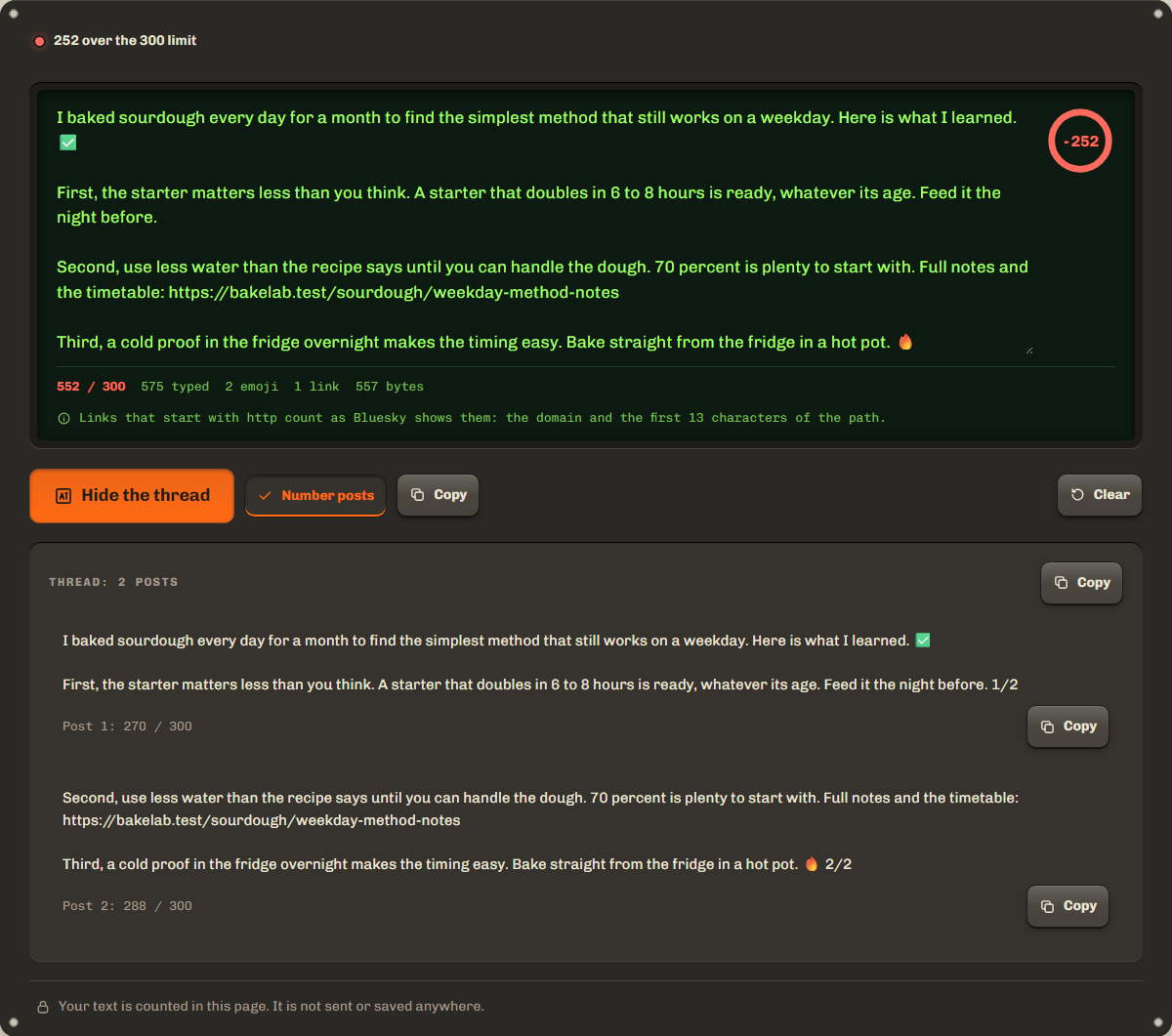
Links get the same treatment as in the Bluesky app. The app finds each link that starts with http:// or https://, takes off one trailing punctuation mark, and shows only the domain and the start of the path. This logic is in the app's open source code (url-helpers.ts in the Bluesky social app), and the counter copies it. Under the text you also see what you typed in total, the number of emoji and links, and the bytes.
Bluesky character limit
A Bluesky post holds up to 300 characters. The limit is set in the AT Protocol record for a post, which allows a text of at most 300 graphemes and 3,000 bytes (the app.bsky.feed.post lexicon), and the Bluesky app uses the same 300 as its limit (MAX_GRAPHEME_LENGTH in the app source). We read both on October 23, 2026.
That is a little more than the 280 on X and less than the 500 on Threads. For the limits of other platforms, with a source for each, see the table on the creator tools page. For Threads, use the Threads character counter, which counts emoji differently.
Split a long post into a thread
When your text runs over 300, tap Split into a thread. The counter fills each post as far as it can, ends a post at a full stop or a line break when one is close to the end, and only cuts between words otherwise. Links are never cut in half. With Number posts on, each post ends in 1/4, 2/4 and so on, and the number is counted inside the 300.
Each post has its own Copy key. Post the first one, then reply to it with the second, and so on: in Bluesky, a thread is a chain of replies to your own post. Copy all puts every post on the clipboard with a blank line between them, for a draft or a scheduling tool.
FAQ
How many characters is a Bluesky post?
300. The Bluesky post record allows 300 graphemes and 3,000 bytes of text, and the Bluesky app stops you at 300. A grapheme is what you see as one character, so an emoji counts as 1.
Do links count toward the limit?
Yes, but shortened. When a link starts with http:// or https://, the Bluesky app replaces it in the post with the domain and the first 13 characters of the path, followed by three dots, and counts that. The full link stays behind the text. A link typed without http, such as a bare domain, counts in full.
Do emoji count as more than one character?
No. Bluesky counts graphemes, so a thumbs up with a skin tone or a family emoji counts as 1, the same as a letter. Every emoji still adds several bytes, so a post made only of emoji can reach the 3,000 byte limit before 300 characters; the counter warns you when that happens.
Does it work for replies and quote posts?
Yes. Replies and quote posts are posts too, with the same 300 character limit.
Is my text saved or sent anywhere?
No. The count runs in your browser. The text is not stored, and it is gone when you close the page.
Related tools
All creator toolsCheck a post against the 500 character limit of Threads.
See your thumbnail and title in home, search and phone layouts.
Check that text on your graphics is easy to read.
Maintained by NabeelUpdated Oct 23, 2026.