Keyboard Ghosting Test
Hold keys down and watch them light up, see the most your keyboard registers at once, and check the combinations your games use.
Tap Start, then hold keys down
- Held now
- 0
- Most at once
- --
Tap Start or click here, then hold keys down.
Combinations to try
- W A S D All four movement keys.
- W A + Shift + Space Run diagonally and jump.
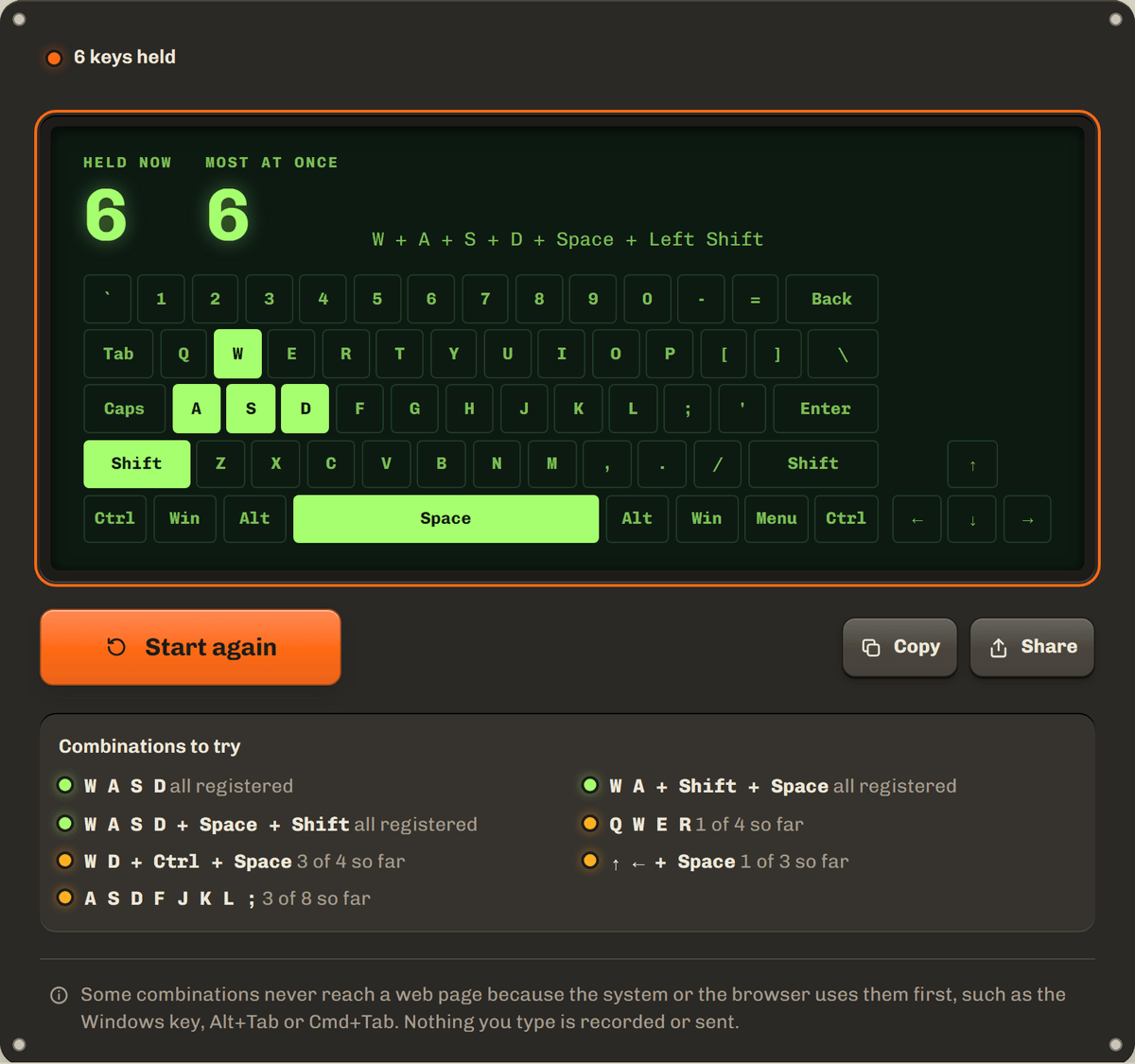
- W A S D + Space + Shift Six keys at once: move in every direction, jump and run.
- Q W E R Four keys in a row, as in ability keys.
- W D + Ctrl + Space Press Ctrl last: Ctrl then W closes the tab in most browsers.
- ↑ ← + Space Arrow keys with a jump.
- A S D F J K L ; Eight fingers on the home row.
Some combinations never reach a web page because the system or the browser uses them first, such as the Windows key, Alt+Tab or Cmd+Tab. Nothing you type is recorded or sent.
How to use the keyboard ghosting test
- Step 1Tap StartThe keyboard area takes focus. Keys only count while it has focus, so click it again if you leave.
- Step 2Hold keys downPress and hold keys one by one. Each key lights up while it is down, and Most at once keeps the record.
- Step 3Try the combinationsHold each combination in the list. A green lamp means every key in it registered together.
- Step 4Find the gapIf a key does not light up while others are held, release one and try again to see which group blocks it.
The keyboard on screen is a US layout. On other layouts the keys sit in the same places with other legends, and the test still lights the key you press, because it reads the key's position, not the letter it types.
What keyboard ghosting is
Most keyboards read their keys through a grid of wires, a matrix, instead of one wire per key. When three keys on the corners of a rectangle in that grid are down, the fourth corner can look pressed too. Wikipedia's article on rollover calls that phantom press ghosting. Modern keyboards detect it and ignore the third key instead of reporting a fourth, which the article calls jamming.
So on a real keyboard, ghosting usually looks like a key that does nothing while you hold others: you run forward and strafe, press jump, and nothing happens. Keyboards with a diode on every switch avoid the problem and can offer n-key rollover, where every key is read on its own. The article also notes that the simple USB boot mode reports at most six keys plus the modifiers.
Combinations to try
Ghosting depends on which keys you press, not only how many, because it depends on where they sit in the matrix. Test the combinations you actually use. The tool marks each one green when all its keys were down at the same time.
| Hold | Keys | Why |
|---|---|---|
| W A S D | 4 | All four movement keys. |
| W A + Shift + Space | 4 | Run diagonally and jump. |
| W A S D + Space + Shift | 6 | Six keys at once: move in every direction, jump and run. |
| Q W E R | 4 | Four keys in a row, as in ability keys. |
| W D + Ctrl + Space | 4 | Press Ctrl last: Ctrl then W closes the tab in most browsers. |
| ↑ ← + Space | 3 | Arrow keys with a jump. |
| A S D F J K L ; | 8 | Eight fingers on the home row. |
Keys a web page cannot see
A page gets a key only after the operating system and the browser are done with it, and some combinations never arrive:
- System shortcuts, such as the Windows key, Alt+Tab, Cmd+Tab and Cmd+Space, go to the system.
- Browser shortcuts can act before the page sees them, so press Ctrl or Cmd last. Ctrl+W, for example, closes the tab.
- On a Mac, keys released while Cmd is held may not report a release, so the test clears all keys when Cmd goes up.
- Fn and the keyboard's own lighting or macro keys usually work inside the keyboard and send nothing.
MDN's page on keyboard lock notes that even that feature, built to let pages capture more keys, can only capture keys the operating system allows. So a key missing here in a combination with a shortcut is not proof of ghosting. Test the same group of keys without the modifier.
What to do about ghosting
- Change the key bindings in your game so the keys you hold together sit in a group that works.
- Look for an n-key rollover or anti-ghosting setting in the keyboard's software or manual.
- If you shop for a new keyboard, check the specifications for n-key rollover, then test the combinations you use here.
For key chatter, key repeat and a reaction test that compares two keyboards, use the keyboard latency test.
FAQ
What is keyboard ghosting?
Ghosting is a key press the keyboard reports that you did not make, caused by how the keys are wired. Most keyboards stop it by ignoring a key instead, so in practice you see a key that does not register while others are held. Both are rollover limits, and gamers call either one ghosting.
How many keys should a keyboard register at once?
It depends on the keyboard. A keyboard without a diode on each switch can drop a key in some groups of three or more, while keyboards sold as n-key rollover read every key on its own. Check your model's specifications for rollover, then use this test to see what your combinations do.
Why does a combination with Ctrl or the Windows key not work?
The system or the browser may take it first. Ctrl+W closes the tab in most browsers, and the Windows key, Alt+Tab and Cmd+Tab go to the system. That is not ghosting. Test the same keys without the modifier, or press the modifier last.
Why does the Fn key not light up?
On most keyboards Fn is handled inside the keyboard and sends nothing to the computer, so no web page can see it.
Is it the keyboard or the computer?
Try the same combination on another computer or in another browser. If the same key drops out in the same combination everywhere, it is the keyboard. A keyboard in a simple USB mode, such as one some keyboards use in a BIOS, can report fewer keys.
Related tools
All device testsKey repeat, press timing, chatter, and a reaction test to compare keyboards.
Find a key that types twice, with every press timed.
Estimate a keyboard's report rate, or measure a mouse in Hz.
Maintained by NabeelUpdated Nov 19, 2026.