Gyroscope Test
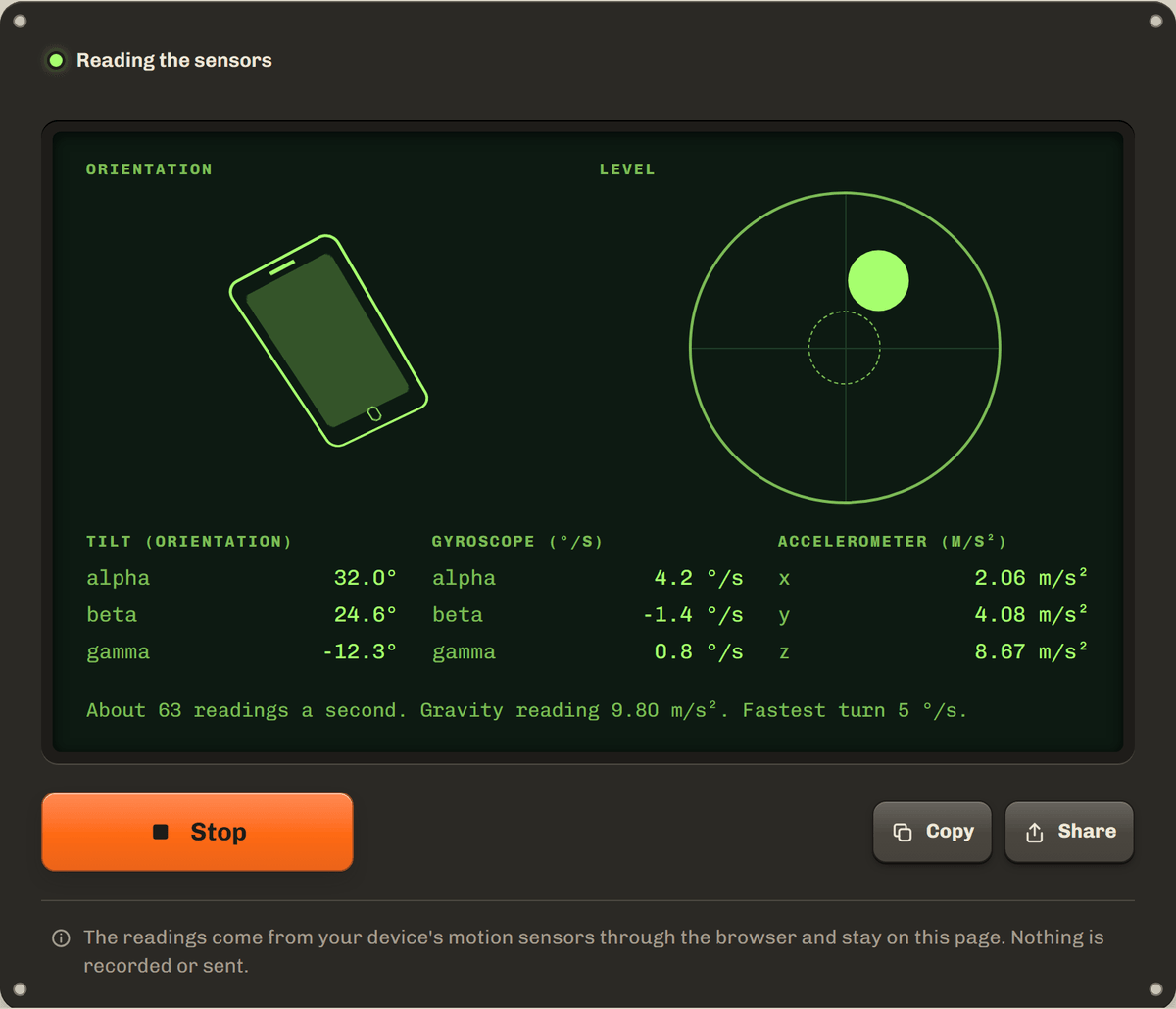
Check your phone's or tablet's motion sensors: live tilt, rotation and acceleration, a 3D phone that follows yours and a bubble level.
Tap Start to read the sensors
- alpha
- --
- beta
- --
- gamma
- --
- alpha
- --
- beta
- --
- gamma
- --
- x
- --
- y
- --
- z
- --
Tap Start, then tilt and turn the phone. On iPhone and iPad, Safari asks for motion access first.
The readings come from your device's motion sensors through the browser and stay on this page. Nothing is recorded or sent.
How to use the gyroscope test
- Step 1Open this page on the phone or tabletDesktop and laptop computers almost never have motion sensors, so the test needs the device itself.
- Step 2Tap StartOn iPhone and iPad, Safari asks to allow motion and orientation access. Tap Allow.
- Step 3Tilt and turn itThe 3D phone follows yours, the bubble moves to the raised side, and the numbers change as you move.
- Step 4Lay it flatOn a flat table the bubble turns green within 1° of level, and gravity reads close to 9.8 m/s².
The test reads the two sensor events browsers offer: device orientation (the tilt angles) and device motion (rotation rate and acceleration). If neither sends a reading within 2.5 seconds of Start, it says so instead of showing zeros.
What the readings mean
The angle ranges are the ones in MDN's guide to detecting device orientation. The units of rotation rate and acceleration are from MDN's DeviceMotionEvent reference.
| Reading | Sensor | Range or unit | What it shows |
|---|---|---|---|
| alpha | Orientation | 0° to 360° | Turn around the axis out of the screen, like a compass on a table. |
| beta | Orientation | -180° to 180° | Tilt front to back. Flat is 0°, standing upright facing you is about 90°. |
| gamma | Orientation | -90° to 90° | Tilt left to right. Positive when the right edge goes down. |
| Rotation rate | Gyroscope | °/s | How fast the device turns around each axis. Close to 0 when it lies still. |
| Acceleration | Accelerometer | m/s² | Push in each direction, with gravity. At rest the three add up to about 9.8 m/s². |
MDN also warns that Firefox and Chrome do not handle the motion coordinates the same way, so the signs of some numbers can differ between browsers on the same phone. The size of each number and how smoothly it changes are what matter for a test.
Gyroscope vs accelerometer
A gyroscope measures how fast the device turns. An accelerometer measures the push on it, including gravity, so at rest it tells which way is down. Phones usually combine both, and often a compass, into the tilt angles that games, screen rotation and maps use.
To check each part: the Gyroscope column should change when you spin the phone flat on a table, and the Accelerometer column should shift between x, y and z as you stand the phone up and lay it on its side.
No readings or no permission
- On a computer: most have no motion sensors. The test says no readings came, which is the right answer there.
- On iPhone or iPad: the page must ask first. MDN's requestPermission reference notes that the request needs a tap and resolves as granted or denied. If you denied it, close the tab and open the page again.
- Not on https: MDN marks these sensor events as available only in secure contexts, so a page opened over plain http gets nothing.
- Inside another app: pages opened inside some apps' own browsers may not get sensor access. Open the page in Safari, Chrome or Firefox.
FAQ
Why does the test show no readings on my computer?
Most desktop and laptop computers have no gyroscope or accelerometer, and some browsers send the events with empty values. The test waits a few seconds, then says no readings came. Open the page on a phone or tablet instead.
Why do I have to allow motion access on iPhone?
Safari on iPhone and iPad asks before a page can read the motion sensors, and a page can only ask after a tap. That is why the test starts with the Start key. If you tapped Don't Allow, close the tab and open the page again to be asked again.
How do I know if my gyroscope is broken?
Lay the device flat and still. The rotation rates should sit close to 0 °/s and the tilt should hold steady. Then turn it slowly: all three should change smoothly. Numbers that jump while the device is still, or stay at 0 while you turn it, point at a sensor or software problem.
Why does alpha drift or start at a random number?
On many devices alpha starts from wherever the device pointed when the readings began, not from north, and it can drift slowly. Beta and gamma, the tilt, use gravity and stay steady.
Is my movement recorded?
No. The readings are used on this page only to move the picture and the numbers. Nothing is recorded, saved or sent.
Related tools
All device testsCount touches, find dead zones and catch ghost touches.
Check the phone's cameras, resolution, frame rate and lenses.
See if a game controller's sticks move on their own.
Maintained by NabeelUpdated Nov 19, 2026.