Tally Counter
Tap the big key or press Space to count. Keep several named counters, set a target and export the log.
Tap + or press Space to count
0
Step 1Settings for Counter 1
Keys: Space, Enter, Up arrow or + to add. Down arrow or - to take away. 1 to 9 pick a counter.
Log
Every change shows here with its time. The log stays on this device.
Counts are saved in this browser only. Nothing is sent anywhere.
How to use the tally counter
This online click counter works like the metal hand counter with a button on top, with more room: several counters, a step size, a target and a log of every change. Counts are saved as you go, so you can close the tab and carry on later.
- Step 1Tap +Tap the big + key, or press Space, Enter or the Up arrow. Minus takes one away.
- Step 2Add countersAdd counter makes another one. Tap a counter's name to switch, or press 1 to 9.
- Step 3Set a targetIn Settings, name the counter and set a step and a target. The lamp lights when you reach it.
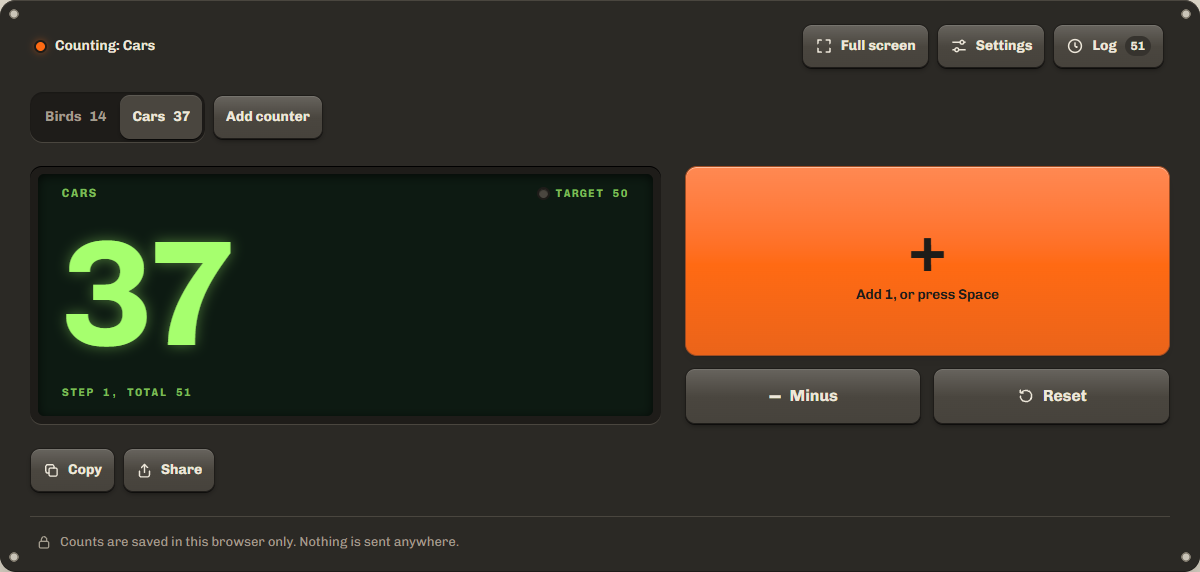
Reset asks once more before it sets a counter to 0, so a stray tap cannot wipe a long count. Settings also has a click sound and, on phones that support it, a short vibration for each count, so you can count without looking. Where the browser allows it, Full screen fills the screen with the count and the + key, which helps on a phone held in one hand.
What people count with a tally counter
A tally counter is for anything you count one at a time and do not want to keep in your head. Some common jobs:
- People counting
- Count visitors at a door, people at an event or riders on a bus. Use two counters, In and Out, and the difference is who is still inside.
- Inventory
- Count stock on a shelf with one counter per item. Set the step to the pack size, such as 6 or 12, to count whole boxes.
- Laps and reps
- Count laps of a track or a pool, or reps of an exercise. Set a target, and the lamp and a longer vibration tell you when you are done.
- Birdwatching and wildlife
- Keep one counter per species and name each one. The log records the time of every sighting, ready for a spreadsheet.
- Knitting and crochet rows
- Count rows or stitches on a phone next to your work. Full screen keeps the + key big, and the count is still there tomorrow.
- Traffic and surveys
- Count cars, bikes and people walking past, one counter each, and export the timed log to see when each one went by.
Keyboard shortcuts
On a computer, counting with keys is faster than clicking. The keys work anywhere on the page while the counter is on screen, except in text boxes.
| Key | What it does |
|---|---|
| Space, Enter, Up arrow or + | Add the step to the counter |
| Down arrow or - | Take the step away |
| 1 to 9 | Switch to counter 1 to 9 |
| Tab, then Space or Enter | Use the other keys on the tool, such as Reset |
Holding a key down counts once, not over and over, so a heavy press never adds extra counts.
Log and CSV export
Every add, minus and reset goes into the log with its time, the counter's name and the count after it. Open Log to see the latest changes. Download CSV saves all of them as a file that spreadsheet apps open directly, one row per change, oldest first, so you can chart counts over time or total them by hour.
The log keeps the latest 500 changes. Clear log empties it without touching the counts. Copy and Share send the current count of every counter as text, one counter per line.
Privacy: the counts stay on your device
The counters, their names and the log are saved in your browser's storage on this device and nowhere else. Nothing is uploaded and there is no account. Another browser or another device starts with its own empty counter, and clearing the site data, or a private window, removes the counts. If the browser blocks storage, the counter still works and keeps the counts until you close the tab.
FAQ
Does the tally counter save my count?
Yes. Every counter, its name, step and target, and the log are saved in this browser on this device, so the count is still there after you close the tab or restart. Nothing is sent to a server. A private window or clearing the site data removes it.
Can I count with the keyboard?
Yes. Space, Enter, the Up arrow and + add one step. The Down arrow and - take one away. Number keys 1 to 9 switch between counters. Keys do not count while you type in a text box.
How do I count by 2, 5 or 10?
Open Settings and set the Step. Each press then adds or takes away that amount, and the + key shows it. Each counter has its own step.
Can the count go below zero?
No. Like a hand tally counter, it stops at 0. To start over, press Reset and then press it again to confirm, which keeps an accidental tap from wiping a count.
How do I export the counts?
Open Log and press Download CSV. The file lists every change, oldest first, with the date and time, the counter, the change and the count after it. Spreadsheet apps open it directly. The log keeps the latest 500 changes.
Does it work offline?
Once the page has loaded, counting needs no connection: the counts are kept in the browser. Keep the tab open if you expect to lose signal, because reloading the page needs the connection.
Related tools
All everyday toolsText to Morse and back, with sound, light and a tap key.
Tap a beat and see its tempo in beats per minute.
Tell a group when the count starts, in each reader's time zone.
Check a dollar bill for collector patterns.
Maintained by NabeelUpdated Nov 22, 2026.