Binary Translator
Turn text into binary or binary back into text. Emoji and accents work too, and you see each byte in hex, decimal and octal.
Translated to binary
Binary
7 bytes, 56 bitsSame bytes in other bases
- Hex48 69 20 F0 9F 91 8B
- Decimal72 105 32 240 159 145 139
- Octal110 151 040 360 237 221 213
Byte by byte
Each character and the UTF-8 bytes that carry it. Letters and digits from ASCII take one byte, accented letters two, most other scripts three and emoji four.
| Character | Code point | Binary | Hex | Decimal |
|---|---|---|---|---|
| H | U+0048 | 01001000 | 48 | 72 |
| i | U+0069 | 01101001 | 69 | 105 |
| space | U+0020 | 00100000 | 20 | 32 |
| 👋 | U+1F44B | 11110000 10011111 10010001 10001011 | F0 9F 91 8B | 240 159 145 139 |
Runs in your browser. Nothing you type is sent anywhere.
How binary text works
A computer stores text as numbers. A character encoding is the list that says which number is which character, and binary is just those numbers written with two digits, 0 and 1, instead of ten. Each digit is a bit, and 8 bits make a byte, which holds a number from 0 to 255.
- Step 1Pick a directionText to binary turns letters into bytes. Binary to text reads 0s and 1s back into letters.
- Step 2Type or pasteThe result updates as you type. Spaces between bytes are optional when you decode.
- Step 3Copy or shareCopy the binary, or the hex, decimal and octal under it. Share link sends the same text to someone else.
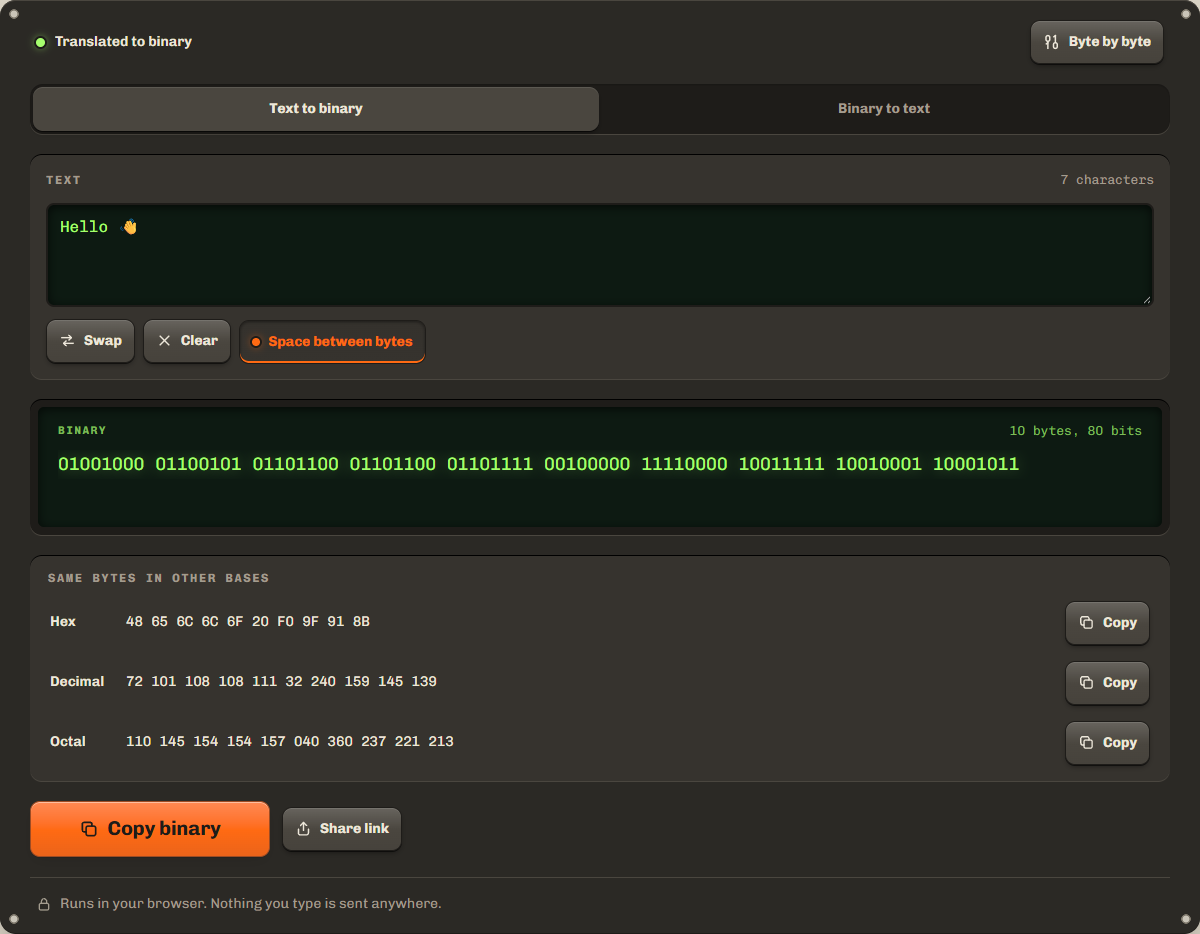
This translator uses UTF-8, the encoding defined in RFC 3629 and the one web pages use. For plain English letters, digits and punctuation, UTF-8 gives the same numbers as the much older ASCII code, so the binary matches any ASCII table. When you decode, it reads 8-digit bytes with or without spaces, 7-digit ASCII groups, commas, line breaks and 0b prefixes, and stops with a clear message instead of guessing when the digits do not fit.
ASCII binary table
Every character below takes one byte. The decimal value is the ASCII code, from the 1969 network version of the standard in RFC 20, and UTF-8 keeps the same values.
| Character | Binary | Hex | Decimal |
|---|---|---|---|
| A | 01000001 | 41 | 65 |
| B | 01000010 | 42 | 66 |
| C | 01000011 | 43 | 67 |
| D | 01000100 | 44 | 68 |
| E | 01000101 | 45 | 69 |
| F | 01000110 | 46 | 70 |
| G | 01000111 | 47 | 71 |
| H | 01001000 | 48 | 72 |
| I | 01001001 | 49 | 73 |
| J | 01001010 | 4A | 74 |
| K | 01001011 | 4B | 75 |
| L | 01001100 | 4C | 76 |
| M | 01001101 | 4D | 77 |
| N | 01001110 | 4E | 78 |
| O | 01001111 | 4F | 79 |
| P | 01010000 | 50 | 80 |
| Q | 01010001 | 51 | 81 |
| R | 01010010 | 52 | 82 |
| S | 01010011 | 53 | 83 |
| T | 01010100 | 54 | 84 |
| U | 01010101 | 55 | 85 |
| V | 01010110 | 56 | 86 |
| W | 01010111 | 57 | 87 |
| X | 01011000 | 58 | 88 |
| Y | 01011001 | 59 | 89 |
| Z | 01011010 | 5A | 90 |
| Character | Binary | Hex | Decimal |
|---|---|---|---|
| a | 01100001 | 61 | 97 |
| b | 01100010 | 62 | 98 |
| c | 01100011 | 63 | 99 |
| d | 01100100 | 64 | 100 |
| e | 01100101 | 65 | 101 |
| f | 01100110 | 66 | 102 |
| g | 01100111 | 67 | 103 |
| h | 01101000 | 68 | 104 |
| i | 01101001 | 69 | 105 |
| j | 01101010 | 6A | 106 |
| k | 01101011 | 6B | 107 |
| l | 01101100 | 6C | 108 |
| m | 01101101 | 6D | 109 |
| n | 01101110 | 6E | 110 |
| o | 01101111 | 6F | 111 |
| p | 01110000 | 70 | 112 |
| q | 01110001 | 71 | 113 |
| r | 01110010 | 72 | 114 |
| s | 01110011 | 73 | 115 |
| t | 01110100 | 74 | 116 |
| u | 01110101 | 75 | 117 |
| v | 01110110 | 76 | 118 |
| w | 01110111 | 77 | 119 |
| x | 01111000 | 78 | 120 |
| y | 01111001 | 79 | 121 |
| z | 01111010 | 7A | 122 |
| Character | Binary | Hex | Decimal |
|---|---|---|---|
| 0 | 00110000 | 30 | 48 |
| 1 | 00110001 | 31 | 49 |
| 2 | 00110010 | 32 | 50 |
| 3 | 00110011 | 33 | 51 |
| 4 | 00110100 | 34 | 52 |
| 5 | 00110101 | 35 | 53 |
| 6 | 00110110 | 36 | 54 |
| 7 | 00110111 | 37 | 55 |
| 8 | 00111000 | 38 | 56 |
| 9 | 00111001 | 39 | 57 |
| Character | Binary | Hex | Decimal |
|---|---|---|---|
| space | 00100000 | 20 | 32 |
| . | 00101110 | 2E | 46 |
| , | 00101100 | 2C | 44 |
| ! | 00100001 | 21 | 33 |
| ? | 00111111 | 3F | 63 |
| ' | 00100111 | 27 | 39 |
| " | 00100010 | 22 | 34 |
| - | 00101101 | 2D | 45 |
| : | 00111010 | 3A | 58 |
| ; | 00111011 | 3B | 59 |
| ( | 00101000 | 28 | 40 |
| ) | 00101001 | 29 | 41 |
| @ | 01000000 | 40 | 64 |
| # | 00100011 | 23 | 35 |
| & | 00100110 | 26 | 38 |
| / | 00101111 | 2F | 47 |
Two patterns help you spot letters. Capital letters start with 010 and small letters with 011, so A and a differ only in the bit worth 32. Digits start with 0011, and the last four bits are the digit itself: 7 is 0011 0111.
UTF-8 and emoji in binary
ASCII has only 128 characters. Unicode gives a number, called a code point, to well over a hundred thousand characters, and UTF-8 is the most common way to write those code points as bytes. It uses one byte for ASCII and up to four for the rest. The first bits of each byte say how long the character is: 110 starts a 2-byte character, 1110 a 3-byte one, 11110 a 4-byte one, and every byte after the first starts with 10. The Unicode FAQ on UTF-8 explains the same layout.
| Character | Code point | Bytes | UTF-8 binary |
|---|---|---|---|
| A | U+0041 | 1 | 01000001 |
| é | U+00E9 | 2 | 11000011 10101001 |
| € | U+20AC | 3 | 11100010 10000010 10101100 |
| 😀 | U+1F600 | 4 | 11110000 10011111 10011000 10000000 |
Some emoji are several code points joined together. A thumbs up with a skin tone is two code points, so 8 bytes, and a family emoji can be 25 bytes or more. Open Byte by byte in the tool to see where each character starts and ends.
How to read binary by hand
Each position in a byte has a value, doubling from right to left. Add up the values where the digit is 1, then look the number up in the ASCII table above. Take 01001000:
| Value | 128 | 64 | 32 | 16 | 8 | 4 | 2 | 1 |
|---|---|---|---|---|---|---|---|---|
| Digit | 0 | 1 | 0 | 0 | 1 | 0 | 0 | 0 |
The 1s sit under 64 and 8, and 64 + 8 = 72, which is a capital H. To go the other way, start with the biggest value that fits, write a 1 and subtract it, and write 0 for each value that does not fit. For 105: 64 fits (41 left), 32 fits (9 left), 16 does not, 8 fits (1 left), 4 and 2 do not, 1 fits. That gives 01101001, a small i.
Hex is the shortcut programmers use: each hex digit stands for exactly four bits, so 0100 1000 is 4 and 8, written 48. That is why the tool shows hex beside the binary. It is the same bytes, just shorter to read.
FAQ
How do I convert text to binary?
Each character is stored as a number, and the number is written in base 2. In ASCII and UTF-8, the capital letter A is 65, which is 01000001 in 8 bits. Type your text in the translator and it does this for every character, using UTF-8 so accents and emoji work too.
What is hello in binary?
In UTF-8 (and ASCII), hello is 01101000 01100101 01101100 01101100 01101111. With a capital H, Hello starts with 01001000 instead, because H is 72 and h is 104.
Why do some characters take more than 8 bits?
One byte holds 256 values, and only the first 128 are the ASCII characters. UTF-8 writes every other character in two, three or four bytes: é takes 2, € takes 3 and most emoji take 4. That is why the binary of an emoji is 32 digits long.
Is binary code the same as ASCII?
No. Binary is only a way to write numbers with 0 and 1. ASCII and UTF-8 are agreements about which number stands for which character. For the 128 ASCII characters, UTF-8 uses exactly the same numbers, so ASCII text gives the same binary either way.
Why does my binary decode to strange characters?
Usually a digit is missing or extra, so every byte after it shifts. The translator tells you when the digits do not split into whole bytes. If they do, but a byte pattern is impossible in UTF-8, it shows that byte as a replacement mark and says how many bytes are wrong.
Can it read 7-bit binary?
Yes. Older examples write ASCII with 7 digits per character, such as 1001000 for H. The translator accepts 7-digit groups separated by spaces, and unspaced 7-bit text as long as the digit count divides by 7 but not by 8.
Sources: RFC 3629, UTF-8; RFC 20, ASCII format for network interchange; Unicode FAQ: UTF-8, UTF-16, UTF-32 and BOM.
Related tools
All creator toolsTurn English into Unified English Braille, cell by cell.
Turn text into Wingdings symbols that paste anywhere.
Spell a name in Egyptian hieroglyphs by sound.
Maintained by NabeelUpdated Nov 22, 2026.