JXL to JPG Converter
Open and convert JPEG XL (.jxl) files to JPG or PNG, right in your browser.
Drop .jxl files to view and convert them
Drop .jxl files here
JPEG XL files open here and convert to JPG, PNG or WebP. JPG, PNG and WebP files you add become JXL.
Files are decoded and converted on your device with WebAssembly. Nothing is uploaded.
How to convert JXL to JPG
The converter decodes each .jxl file on your device and saves it as a JPG that every phone, computer and app can open. It handles a batch as easily as one file.
- Step 1Add .jxl filesDrop one or many .jxl files on the tool, or tap Choose files. Each one opens with a preview right away.
- Step 2Pick JPG, PNG or WebPJPG is the most widely supported. Set the quality with the slider; 90 keeps the picture close to the original.
- Step 3Convert and saveTap Convert, then save each file or download all of them as one ZIP.
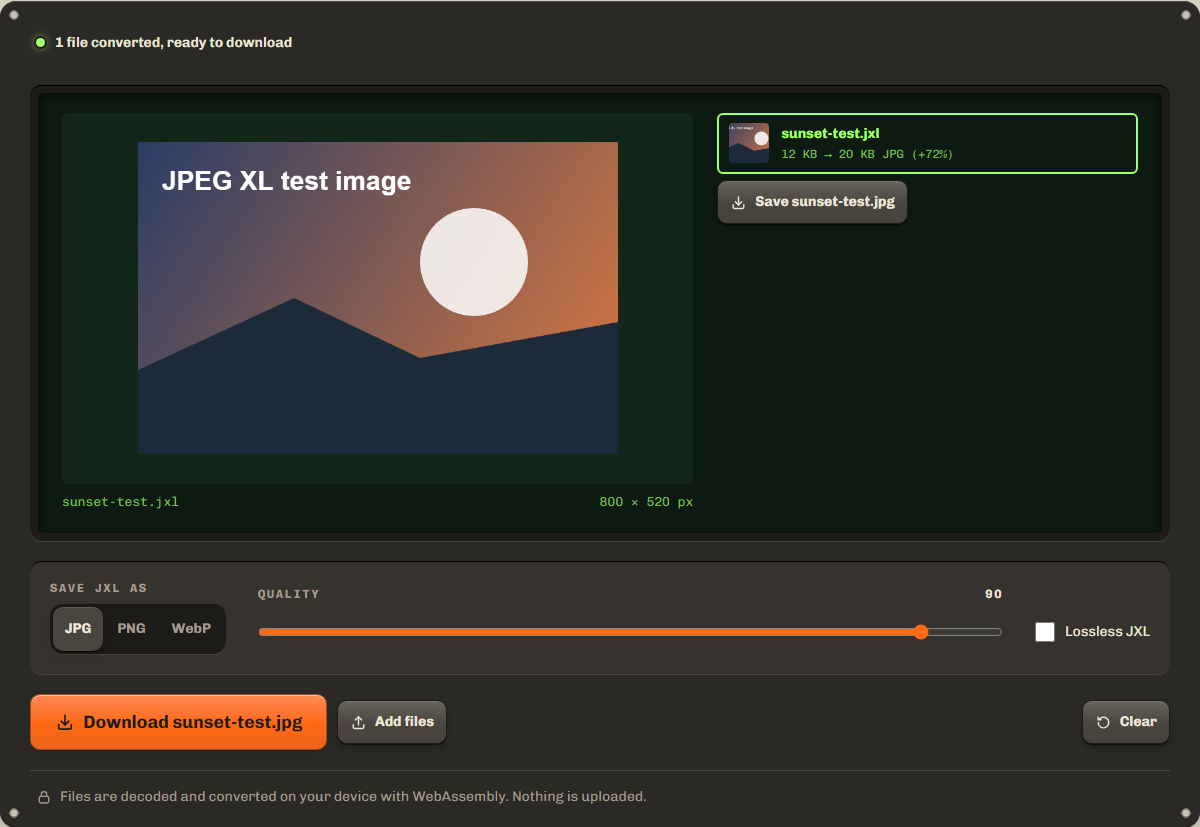
The decoder is libjxl, the reference JPEG XL library, compiled to WebAssembly by the open source jSquash project. It loads only when you add the first file, so the page itself stays light. The JPG, PNG or WebP file is then written by your browser's own image encoder.
JPEG XL viewer: open .jxl files in Chrome, Edge or Firefox
This page is also a JPEG XL viewer that works in any modern browser, including the ones that cannot show .jxl files yet. Add a file and the preview shows at once, with its size in pixels. Tap another file in the list to view it. Nothing is converted until you tap Convert, so you can just look.
Chrome 155 and later and Firefox 158 and later open .jxl files by themselves, and Safari 17 and later shows still JPEG XL images. Edge does not yet, which is where the viewer here helps most.
JXL to PNG (lossless) and JXL to WebP
Pick PNG to keep every pixel exactly as the JXL file decodes: PNG is lossless, and it keeps transparency. The file is bigger than a JPG, often much bigger for photos, so PNG suits screenshots, graphics and pictures you will edit again.
Pick WebP for a small file that still keeps transparency. The quality slider works for WebP as for JPG. WebP is written by your browser: if it cannot write WebP, the tool says so and saves PNG instead.
What is JPEG XL and which apps support it
JPEG XL (file ending .jxl) is an image format standardized as ISO/IEC 18181. It can store a photo lossy, like JPG, or lossless, like PNG, supports transparency, wide color and HDR, and can repack an existing JPG file into a smaller one that turns back into the exact original. The official community site, jpegxl.info, says that repacking saves 20% on average.
Browser support changed a lot in 2026. This is the state in the caniuse.com data on 22 October 2026:
| Browser | Shows .jxl | Note |
|---|---|---|
| Chrome (desktop and Android) | Yes, from version 155 | Earlier versions: not supported, or only behind a flag |
| Firefox (desktop and Android) | Yes, from version 158 | Versions 152 to 157: an opt-in in Firefox Labs |
| Safari (Mac, iPhone, iPad) | Partly, from version 17 | Still images only, no animation, no progressive loading |
| Edge | Not listed as supported | Not on by default up to Edge 155 |
| Samsung Internet, Opera | Not listed as supported |
Image editors, viewers and operating systems add support at their own pace; jpegxl.info keeps a list of software that opens JPEG XL. If the app you need to send a file to is not on it, convert the file to JPG first.
Convert JPG to JXL to save space
Add JPG, PNG or WebP files to the same tool and they are saved as .jxl. The quality slider sets the JPEG XL quality; tick Lossless JXL to keep every pixel, which suits PNG files best. The list shows each new size next to the old one, so you can see what you save.
This tool encodes the decoded pixels again. That is different from the lossless JPEG repacking described above, which keeps the original JPG data and can restore it bit for bit. For that, use the cjxl command line tool from libjxl. Keep your originals until you know every app you use can open .jxl files.
FAQ
Is this JXL to JPG converter free?
Yes. There is no sign-up, no watermark and no limit on the number of files. It runs on a phone or a computer.
Are my files uploaded?
No. The JPEG XL decoder runs in your browser as WebAssembly, and the JPG, PNG or WebP file is made there too. Nothing is sent to a server.
Why does a .jxl file not open on my computer?
Your browser or image viewer may not support JPEG XL yet. Support is still new: check the table above. Until then, open the file here, or convert it to JPG or PNG.
Will the JPG look worse than the JXL?
JPG is lossy, so it can lose a little detail. At quality 90 the difference is hard to see in most photos. For an exact copy of the pixels, save as PNG instead, which is lossless but bigger.
Does it keep transparency?
PNG and WebP keep it. JPG has no transparency, so see-through parts become white.
Does it keep the photo's metadata?
No. The new file is made from the pixels only, so the camera, date and GPS fields of the JXL file are not copied. To check other photos for metadata, use the EXIF remover.
Related tools
All image toolsSee and remove the GPS location, camera and date in photos.
Check colors, gradients and sharpness of your screen.
Check a screen for dead or stuck pixels.
Maintained by NabeelUpdated Oct 22, 2026.