Braille Translator
Type English and get Unified English Braille, Grade 1, with every cell drawn as dots. Paste braille to read it back.
Translated to braille
Braille
25 cellsDot view
Runs in your browser. Nothing you type is sent anywhere.
How the braille translator works
Braille is read by touch, one cell at a time. A cell has six dot positions in two columns: dots 1, 2 and 3 run down the left, and 4, 5 and 6 down the right. Which dots are raised decides the letter. This translator writes Unified English Braille (UEB), the code used for English in the United States, the United Kingdom, Canada, Australia and the other member countries of the International Council on English Braille (ICEB), in its uncontracted form, Grade 1.
- Step 1Type EnglishLetters, numbers and punctuation all work. The braille updates as you type, with a dot drawing of every cell.
- Step 2Copy the brailleThe result is Unicode braille, so it pastes into a document, a message or a design file like any other text.
- Step 3Or read brailleSwitch to Braille to English and paste Grade 1 braille to read it back as print.
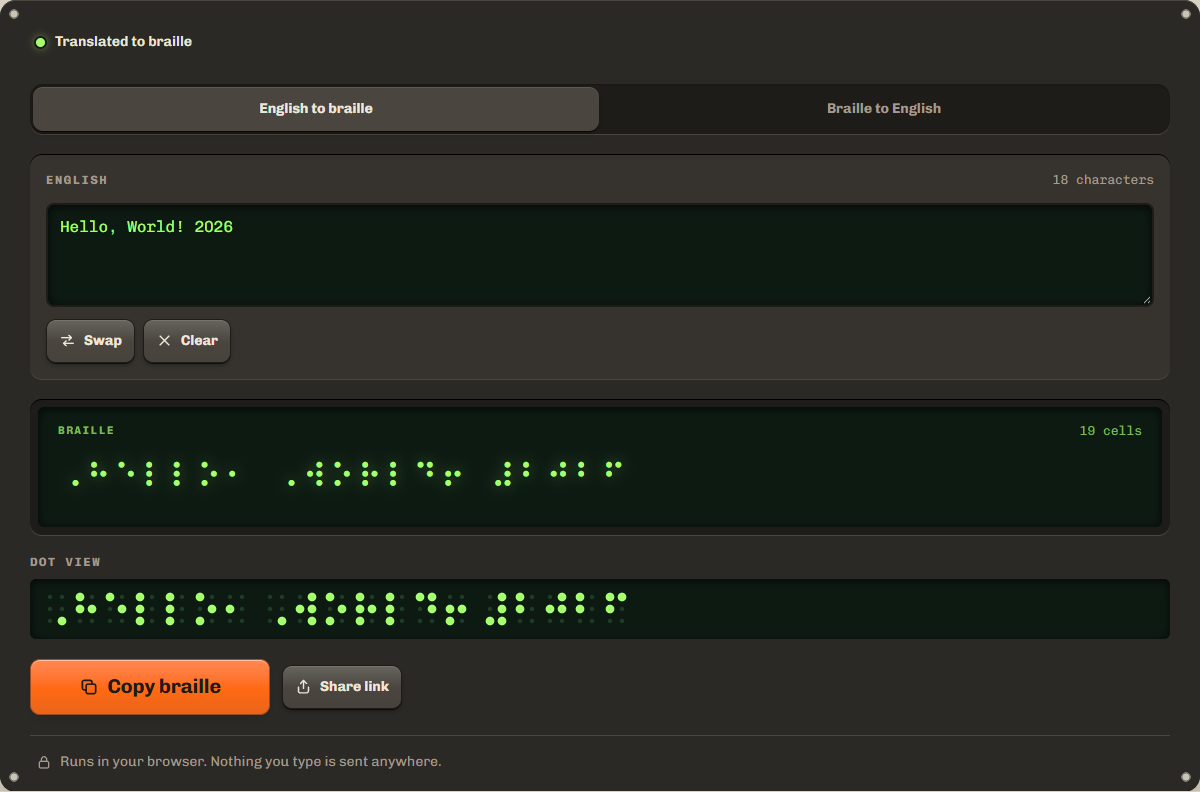
The rules come from the ICEB Rules of Unified English Braille: the numeric indicator before numbers, the grade 1 indicator when a letter follows a number, the three capital indicators and their terminator, and the punctuation signs in the chart below. Words stay separated by spaces, and line breaks are kept.
Braille alphabet and numbers
The first ten letters, a to j, use only the top four dots. The next ten, k to t, are the same shapes with dot 3 added, and u, v, x, y and z add dots 3 and 6. W is the odd one out, because French, the language braille was first made for, did not use it much when Louis Braille built the system.
| Letter | Braille | Dots | Digit after ⠼ |
|---|---|---|---|
| a | ⠁ | 1 | 1 |
| b | ⠃ | 1-2 | 2 |
| c | ⠉ | 1-4 | 3 |
| d | ⠙ | 1-4-5 | 4 |
| e | ⠑ | 1-5 | 5 |
| f | ⠋ | 1-2-4 | 6 |
| g | ⠛ | 1-2-4-5 | 7 |
| h | ⠓ | 1-2-5 | 8 |
| i | ⠊ | 2-4 | 9 |
| j | ⠚ | 2-4-5 | 0 |
| k | ⠅ | 1-3 | |
| l | ⠇ | 1-2-3 | |
| m | ⠍ | 1-3-4 | |
| n | ⠝ | 1-3-4-5 | |
| o | ⠕ | 1-3-5 | |
| p | ⠏ | 1-2-3-4 | |
| q | ⠟ | 1-2-3-4-5 | |
| r | ⠗ | 1-2-3-5 | |
| s | ⠎ | 2-3-4 | |
| t | ⠞ | 2-3-4-5 | |
| u | ⠥ | 1-3-6 | |
| v | ⠧ | 1-2-3-6 | |
| w | ⠺ | 2-4-5-6 | |
| x | ⠭ | 1-3-4-6 | |
| y | ⠽ | 1-3-4-5-6 | |
| z | ⠵ | 1-3-5-6 |
Numbers reuse a to j: after the numeric indicator ⠼, a is 1, b is 2 and so on, with j for 0. So 2026 is ⠼⠃⠚⠃⠋: one numeric indicator, then b, j, b, f. The number mode lasts to the next space, and through a period or comma between digits, as in 1,000.5 (⠼⠁⠂⠚⠚⠚⠲⠑).
Capitals, numbers and the grade 1 indicator
Braille has no separate capital letters. A cell with only dot 6 in front of a letter makes it a capital, and two of them in front of a word make the whole word capitals. UEB section 8 sets out when each one is used, and this tool follows it: a capitalised word stops at a space, an apostrophe or any other non-letter, so DON'T is written ⠠⠠⠙⠕⠝⠄⠠⠞, with a second capital sign before the T.
| Indicator | Braille | Dots | What it does | Example |
|---|---|---|---|---|
| Numeric indicator | ⠼ | 3-4-5-6 | Before a number: the letters a to j now mean 1 to 0. | 42 ⠼⠙⠃ |
| Capital letter | ⠠ | 6 | The next letter is a capital. | Paris ⠠⠏⠁⠗⠊⠎ |
| Capitalised word | ⠠⠠ | 6, 6 | The letters up to the next space or symbol are capitals. | NASA ⠠⠠⠝⠁⠎⠁ |
| Capitals terminator | ⠠⠄ | 6, 3 | Ends capitals before small letters in the same word. | ABCs ⠠⠠⠁⠃⠉⠠⠄⠎ |
| Capitalised passage | ⠠⠠⠠ | 6, 6, 6 | Three or more words in capitals; a terminator ends it. | KEEP OFF THE GRASS ⠠⠠⠠⠅⠑⠑⠏ ⠕⠋⠋ ⠞⠓⠑ ⠛⠗⠁⠎⠎⠠⠄ |
| Grade 1 indicator | ⠰ | 5-6 | Before a letter a to j right after a number. | 3a ⠼⠉⠰⠁ |
Braille punctuation chart
Common marks such as the period, comma and question mark take one cell, in the lower part of the cell so they do not look like letters. Less common signs take two cells: a prefix cell (such as dot 4, dot 5, dots 4-5, 4-6 or 4-5-6) and a second cell. The opening double quote and the question mark share dots 2-3-6, so a reader tells them apart by where they sit: at the start of a word it is a quote, at the end a question mark.
| Name | Braille | Dots | |
|---|---|---|---|
| . | Period (full stop) | ⠲ | 2-5-6 |
| , | Comma | ⠂ | 2 |
| ? | Question mark | ⠦ | 2-3-6 |
| ! | Exclamation mark | ⠖ | 2-3-5 |
| ; | Semicolon | ⠆ | 2-3 |
| : | Colon | ⠒ | 2-5 |
| ' | Apostrophe | ⠄ | 3 |
| - | Hyphen | ⠤ | 3-6 |
| En dash | ⠠⠤ | 6, 3-6 | |
| Em dash | ⠐⠠⠤ | 5, 6, 3-6 | |
| … | Ellipsis | ⠲⠲⠲ | 2-5-6, 2-5-6, 2-5-6 |
| “ | Opening double quote | ⠦ | 2-3-6 |
| ” | Closing double quote | ⠴ | 3-5-6 |
| ‘ | Opening single quote | ⠠⠦ | 6, 2-3-6 |
| ’ | Closing single quote | ⠠⠴ | 6, 3-5-6 |
| ( | Opening parenthesis | ⠐⠣ | 5, 1-2-6 |
| ) | Closing parenthesis | ⠐⠜ | 5, 3-4-5 |
| [ | Opening square bracket | ⠨⠣ | 4-6, 1-2-6 |
| ] | Closing square bracket | ⠨⠜ | 4-6, 3-4-5 |
| { | Opening curly bracket | ⠸⠣ | 4-5-6, 1-2-6 |
| } | Closing curly bracket | ⠸⠜ | 4-5-6, 3-4-5 |
| / | Slash | ⠸⠌ | 4-5-6, 3-4 |
| \ | Backslash | ⠸⠡ | 4-5-6, 1-6 |
| @ | At sign | ⠈⠁ | 4, 1 |
| & | Ampersand | ⠈⠯ | 4, 1-2-3-4-6 |
| # | Number sign (hash) | ⠸⠹ | 4-5-6, 1-4-5-6 |
| * | Asterisk | ⠐⠔ | 5, 3-5 |
| % | Percent | ⠨⠴ | 4-6, 3-5-6 |
| _ | Underscore | ⠨⠤ | 4-6, 3-6 |
| ~ | Tilde | ⠈⠔ | 4, 3-5 |
| ^ | Caret | ⠈⠢ | 4, 2-6 |
| | | Vertical line | ⠸⠳ | 4-5-6, 1-2-5-6 |
| + | Plus | ⠐⠖ | 5, 2-3-5 |
| − | Minus | ⠐⠤ | 5, 3-6 |
| × | Multiplication sign | ⠐⠦ | 5, 2-3-6 |
| ÷ | Division sign | ⠐⠌ | 5, 3-4 |
| = | Equals | ⠐⠶ | 5, 2-3-5-6 |
| < | Less than | ⠈⠣ | 4, 1-2-6 |
| > | Greater than | ⠈⠜ | 4, 3-4-5 |
| $ | Dollar | ⠈⠎ | 4, 2-3-4 |
| € | Euro | ⠈⠑ | 4, 1-5 |
| £ | Pound | ⠈⠇ | 4, 1-2-3 |
| ¢ | Cent | ⠈⠉ | 4, 1-4 |
| ¥ | Yen | ⠈⠽ | 4, 1-3-4-5-6 |
| ° | Degree | ⠘⠚ | 4-5, 2-4-5 |
| © | Copyright | ⠘⠉ | 4-5, 1-4 |
| ® | Registered | ⠘⠗ | 4-5, 1-2-3-5 |
| ™ | Trademark | ⠘⠞ | 4-5, 2-3-4-5 |
| é | Acute accent (before the letter) | ⠘⠌ | 4-5, 3-4 |
| è | Grave accent (before the letter) | ⠘⠡ | 4-5, 1-6 |
| ê | Circumflex (before the letter) | ⠘⠩ | 4-5, 1-4-6 |
| ñ | Tilde accent (before the letter) | ⠘⠻ | 4-5, 1-2-4-5-6 |
| ü | Diaeresis (umlaut) (before the letter) | ⠘⠒ | 4-5, 2-5 |
| ç | Cedilla (before the letter) | ⠘⠯ | 4-5, 1-2-3-4-6 |
A straight double quote from a keyboard is written as an opening quote at the start of a word and a closing quote at the end. A straight single quote is written as an apostrophe. Characters with no UEB sign in this list, such as most symbols and emoji, are kept as typed and listed under the result, so nothing goes missing without a warning.
Grade 1 and Grade 2 braille
Grade 1 spells everything out, letter for letter. It is how people start to learn braille, and it is used where every letter matters, such as names, spelling lists and some labels. Grade 2, contracted braille, saves space with contractions: single cells and short forms for common words and letter groups. In Grade 2, ⠯ alone means and and ⠮ means the, and many words shrink to two or three cells.
Most English braille books, and signs in many countries, use Grade 2. The contraction rules depend on how a word is spoken and built, so a good Grade 2 translator needs a large rule set and still needs a human check. This tool does not claim to do that. If you need Grade 2 for a sign or a document, use braille translation software or a transcriber who checks the result.
How braille shows on a screen
The braille in this tool is real text from the Unicode Braille Patterns block, U+2800 to U+28FF. Each pattern is the base U+2800 plus one bit per raised dot: dot 1 adds 1, dot 2 adds 2, dot 3 adds 4, and so on up to dot 8, which adds 128. The letter k (dots 1 and 3) is U+2805. The block has all 256 patterns of 8-dot braille, so it holds every 6-dot cell too.
These characters only show the dot pattern. They say nothing about which braille code is meant, so the same cell can be a letter in UEB and something else in another language. A screen reader may read them as dot numbers. Braille displays, which raise real pins, are driven by screen reader software, not by these characters.
FAQ
Is this Grade 1 or Grade 2 braille?
Grade 1, also called uncontracted braille: every letter, digit and punctuation mark is written out. It follows Unified English Braille. Grade 2 adds contractions and is what most English braille books use; this tool does not write contractions.
Can I emboss or print the result?
The output is Unicode braille, which is text for screens and design work. An embosser needs a braille file in its own format, usually made by braille software, and a sign needs Grade 2 and the right dot size. Use the result to learn, check or show braille, and ask a certified transcriber for anything a braille reader will rely on.
Why are there extra cells before numbers and capitals?
Braille has only 64 cell patterns, so the same cells do several jobs. The numeric indicator tells the reader that a to j now mean 1 to 0, and the dot 6 cell marks the next letter as a capital. Print shows these with different shapes; braille needs a cell for it.
What does the cell with dots 5 and 6 do?
It is the grade 1 indicator. After a number, the letters a to j would still be read as digits, so a letter such as the a in 3a gets this cell first. A capital letter or a space ends number mode by itself, so it needs no extra cell.
Why does my braille decode with gaps or strange cells?
The reader only knows Grade 1 symbols. Grade 2 contractions, such as the single cells for and and the, are kept as they are and listed under the result. Text from another braille code, such as old American English Braille, can also differ in punctuation.
Which fonts show the braille?
The braille characters are in the Unicode Braille Patterns block, which current Windows, macOS, iOS and Android systems can show. If you see empty boxes, the app you paste into is using a font without them; pick a different font there.
Sources: ICEB, Rules of Unified English Braille; Braille Authority of North America, UEB; Unicode, Braille Patterns chart.
Related tools
All creator toolsTurn text into binary, with UTF-8 for any character.
Spell a name in Egyptian hieroglyphs by sound.
Turn text into Wingdings symbols that paste anywhere.
Maintained by NabeelUpdated Nov 22, 2026.