Mouse Button Test
A mouse click test for the left, right, middle and side buttons, with a scroll wheel test and a double click test that catches switch chatter.
Click each button in the box
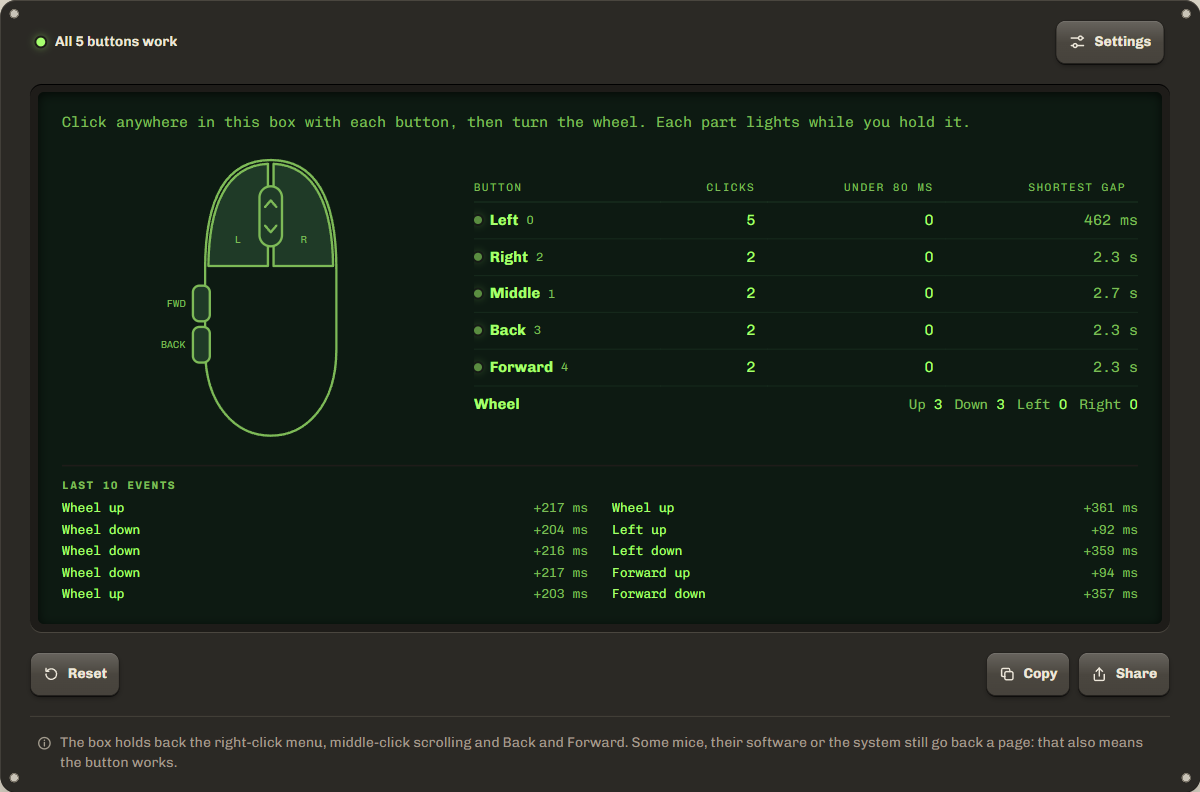
Click anywhere in this box with each button, then turn the wheel. Each part lights while you hold it.
| Button | Clicks | Too fastUnder 80 ms | GapShortest gap |
|---|---|---|---|
| Left0 | 0 | 0 | |
| Right2 | 0 | 0 | |
| Middle1 | 0 | 0 | |
| Back3 | 0 | 0 | |
| Forward4 | 0 | 0 | |
| Wheel | Up 0Down 0Left 0Right 0 | ||
Last 10 events
Nothing yet.
Settings
Two presses on one button closer than this count as a possible double click. A fast double click by hand is rarely under 80 ms. Lower it if you click very fast on purpose. It applies to new presses.
The box holds back the right-click menu, middle-click scrolling and Back and Forward. Some mice, their software or the system still go back a page: that also means the button works.
How to test your mouse buttons
Press each button inside the test box and check that its part of the drawing lights up and its count goes up. The right click test works the same way: the context menu is turned off inside the box, so a right click only counts.
- Step 1Click in the boxPress each button inside the test area: left, right, the wheel, then Back and Forward on the side. Each part of the drawing lights while you hold it.
- Step 2Turn the wheelScroll up and down, and tilt the wheel left and right if it can. The arrows on the drawing flash for each tick.
- Step 3Read the tableEvery button needs at least one click. A number in the double click column means two clicks came too close together.
Mouse double-clicking on its own?
A mouse that double clicks when you click once usually has a worn switch. Inside the button, a small metal contact closes when you press. As it wears, it can bounce, so the computer sees two clicks a few milliseconds apart. This is called switch chatter. You notice it when files open on one click, drags let go halfway, or text selections jump.
The double click test times every press on each button. When two presses on one button come closer than the limit, 80 ms by default, it counts a possible double click and shows the shortest gap. A fast double click by hand is rarely under 80 ms, so a gap of 5 to 30 ms almost always means the switch. For comparison, Windows treats two clicks within 500 ms by default as a double click. Click slowly, one click at a time, about 20 times: one double click can be a fluke, several mean the switch is failing.
Try the mouse on another computer first. If it double clicks there too, the switch is worn. Some mouse software has a debounce setting that hides chatter, and most makers replace a mouse that does it within the warranty: copy the result line to show what happens.
Scroll wheel test: skipping and jumping
Turn the wheel inside the box and watch the up and down counts: each notch should add one tick in the right direction. A wheel that skips adds fewer ticks than notches. A wheel that jumps the wrong way for a moment while you scroll one way gets counted as a wrong way tick, which a worn or dirty wheel sensor does. Blowing dust out of the gap around the wheel sometimes helps.
Press the wheel down to test the middle button. A wheel that tilts left and right adds to the left and right counts. After your first click in the box, scrolling there does not move the page, so this mouse scroll test can run without the page jumping away.
Side buttons not working?
If the side buttons do nothing here, the mouse software or driver has usually set them to a key, a macro or nothing. Open the maker's app (Logitech, Razer, SteelSeries and others), set them back to Back and Forward, then run this side button test again. On a Mac, many apps ignore buttons 3 and 4 unless the mouse software sets them up, but the test still sees them if the mouse sends them.
Browsers number the buttons from 0 to 4, as the MouseEvent.button reference lists. Extra buttons on gaming mice usually send a key press set in their software, so a browser cannot see them as buttons.
| Number | Button | What it usually does |
|---|---|---|
| 0 | Left (main) | Select, open, drag. |
| 1 | Middle (wheel click) | Open a link in a new tab, auto-scroll on Windows, paste on Linux. |
| 2 | Right (secondary) | Open the context menu. |
| 3 | Back (side, rear) | Go back a page in most browsers on Windows and Linux. |
| 4 | Forward (side, front) | Go forward a page. |
Troubleshooting and privacy
A wireless mouse with a low battery misses and doubles clicks, so charge it or change the battery and keep the receiver close. If Back leaves the page, your mouse software or the system acted before the browser: the button works, so press Forward to come back. The test counts clicks on this page only. Nothing is sent, and a reload clears everything.
FAQ
How do I know if my mouse is double clicking?
Click the left button once at a time, slowly, about 20 times. If the double click column goes above 0, or the shortest gap shows a few ms, the switch sent two clicks for one press.
Does the right click test open the menu?
No. Inside the test box the context menu is turned off, so a right click only lights the right button and adds to its count. Outside the box, right click works as usual.
Why does Back still go to the previous page?
The test cancels Back and Forward in the box, but some mouse software and some systems act on the button before the browser sees it. If the page goes back, the button works.
Can I test a mouse on my phone or tablet?
Yes, if the mouse is connected to it. Taps on the screen are not counted, because this test needs a real mouse.
Is anything I click sent anywhere?
No. The test counts the clicks on this page only. Nothing is sent, and a reload clears everything.
Related tools
All device testsMeasure how many times a second your mouse reports, in Hz.
Check a game controller's sticks and buttons.
Maintained by NabeelUpdated Oct 21, 2026.