Backlight Bleed Test
A monitor bleed test and IPS glow test on a pure black full screen, with dark grays for uneven light. For monitors, laptops and TVs.
Ready: black screen test
- 1Turn the room lights off
- 2Set the brightness to 100%
- 3Look straight on, then from the side
The test starts with 10 seconds of black so your eyes adjust (tap to skip). Then click or press Space for the next screen.
Runs on your device. Nothing is uploaded or saved.
How to test for backlight bleed
Show pure black on the whole screen in a dark room, at 100% brightness, and look at the edges. Backlight bleed is light from the backlight that leaks past the panel's frame, so it shows as brighter patches along an edge or in a corner.
- Step 1Make it darkTurn the room lights off and set the screen brightness to 100%. Let the screen warm up for a few minutes.
- Step 2Start the testTap Start test. The screen turns black and counts down 10 seconds while your eyes adjust (tap to skip). Look at the edges and corners straight on, then from the side.
- Step 3Rate what you sawPress Esc or Close. Pick None, Slight, Visible or Severe, tap where you saw it, and copy the result.
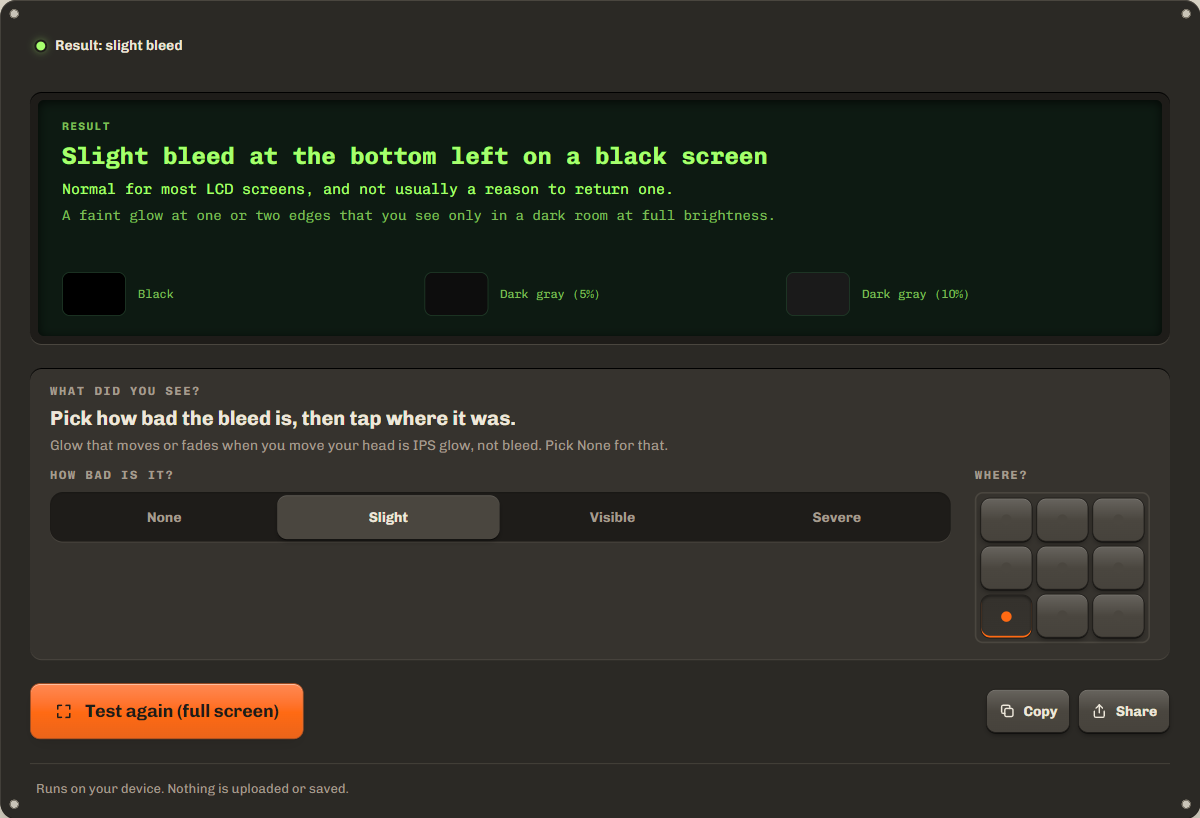
Then switch to the 5% and 10% gray screens. Clouding, an uneven patchy glow away from the edges, is often easier to see on a very dark gray than on black, and the grays show how even the backlight is. Full brightness in a dark room is the harshest light bleed test, so also check at the brightness you really use.
Backlight bleed vs IPS glow: how to tell them apart
Bleed stays in place when you move your head, and IPS glow changes with your viewing angle. Look straight on first, then move to the side, up and down. Dell, for one, calls IPS glow a trait of IPS panels and not a defect, and light leakage a possible defect when it clearly affects viewing.
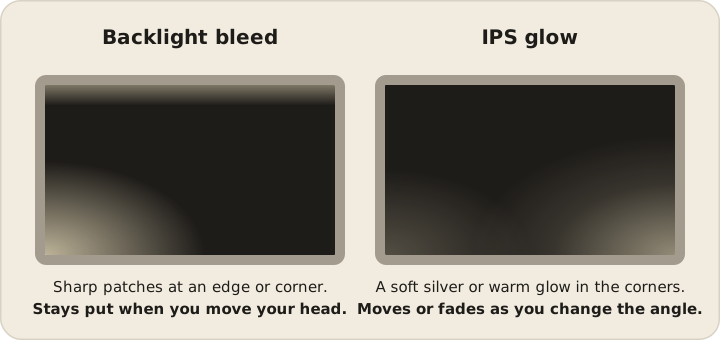
| Fault | Looks | Changes with angle? | A defect? |
|---|---|---|---|
| Backlight bleed | Bright patches at the edges or corners | No, it stays in place | Can be, when it is strong |
| IPS glow | A silver or warm glow in the corners | Yes, it moves or fades | No, IPS panels have it by design |
| Clouding | Uneven light patches across the screen | No, it stays in place | Can be, when it is strong |
How much bleed is normal, and when to return a monitor
Slight bleed that shows only on black, in a dark room, at full brightness, is normal for most LCD screens. It is too much when you see it in normal use: in dark scenes of films and games, with the room lights on, at the brightness you use.
There is no simple count for bleed as there is for dead pixels, so a return is a judgement. Test a new screen on the first day, while the store's return period is open: a store exchange is easier than a warranty claim. Keep in mind that a replacement can have more bleed, not less. For a claim, send a photo at normal exposure and the steps you used.
Can backlight bleed be fixed?
Mostly no. Bleed comes from how the panel sits in its frame, and no software can change that. Lower brightness makes it less visible, and so does a little light in the room behind the screen. On a TV with local dimming, the backlight turns down on black, which can hide bleed; check the gray screens too.
Online guides suggest loosening the bezel screws or massaging the edges. Be careful: this can crack the panel, damage the backlight and void the warranty. Try a return or a warranty claim first.
Why phone photos exaggerate bleed
A phone camera brightens a dark scene until it looks well lit, so faint bleed in a photo can look much worse than it does to your eyes. Night mode and long exposures make it stronger still. Judge the bleed with your eyes, then, for a claim, take the photo with night mode off, at normal exposure, from your usual seat. Say in the claim that the photo matches what you see.
Troubleshooting and privacy
If full screen does not open, the test fills the window instead. The hint bar gives off light, so it hides after three seconds; tap Hide to hide it at once. On a laptop, do not press on the frame: pressure changes the bleed. Dots of light are pixels, not bleed: check them with the dead pixel test. For uniformity patterns, use the monitor test.
Everything runs on your device. Your rating stays in this tab and is gone when you leave or reload.
FAQ
Is some backlight bleed normal?
Yes. Almost every LCD screen lets a little light leak at the edges, and you see it only on black in a dark room. It matters when you see it in normal use, such as dark film scenes.
Does backlight bleed get worse over time?
It usually stays about the same. It can change a little in the first weeks as the panel settles, and pressure on the frame can make it worse. Test again after a few weeks if you are not sure.
Do OLED screens have backlight bleed?
No. OLED screens have no backlight: each pixel makes its own light, and black pixels are off. Use the screen burn-in test on an OLED instead.
Why does the test count down before the black screen?
Your eyes need a few seconds in the dark to see faint light. The 10 second countdown gives them that time. Tap the screen or press Space to skip it.
Is IPS glow a reason to return a monitor?
Usually not. Makers treat IPS glow as a trait of the panel type. If the glow does not move or fade when you change your angle, it is bleed, and that can be a reason.
Related tools
All display testsFill the screen with colors to find dead or stuck pixels on a new screen.
Check uniformity, black level, gradients and sharpness with test patterns.
Find burned-in logos and taskbars on OLED and LCD screens.
Maintained by NabeelUpdated Oct 21, 2026.