Headphone Test: Left and Right
Test headphones and earbuds online: check the left and right ears, the center, the balance, the bass and the high end.
Not playing
Put your headphones on, volume low.
Then tap Quick check, or play one side.
More tests
How to test your headphones
- Step 1Put them on, volume lowWear the headphones the right way round (look for L and R) and set the volume low first.
- Step 2Tap Quick checkIt plays your left ear, your right ear, the center, then two noises. Answer Yes or No after each part.
- Step 3Read the resultCorrect, swapped, one side silent, mono or out of phase, with a link to the fix. Then try More tests.
Left and right headphone test
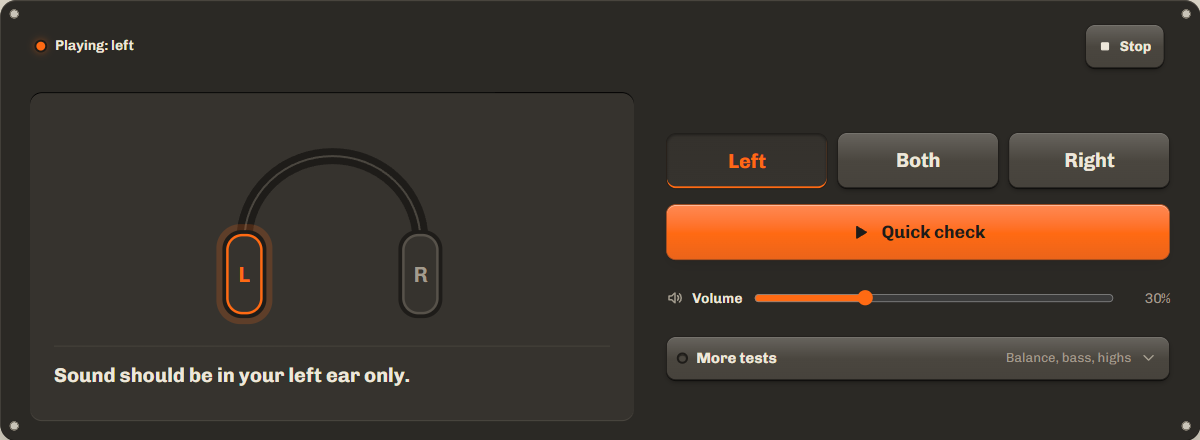
Press Left and the tone plays in your left ear only. Press Right for the other ear. If the left tone lands in your right ear, the headphones are on the wrong way round or a setting swaps the channels. If it plays in both ears, mono audio is on.
Quick check runs the whole headphone test left and right for you and asks short Yes or No questions. Copy or share the result line if you are checking a pair for someone else, or before you return them.
Center and phase: what "out of phase" means
When both ears get the same sound, it should feel like it sits in the middle of your head. If it leans to one side, one ear is quieter, or the balance setting is off center.
Out of phase means one ear's sound is flipped: its speaker pushes out while the other pulls in. The quick check plays the same noise both ways. On correctly wired headphones the flipped noise loses its center and seems to come from around your head. If the flipped noise sounds more natural, one side is wired in reverse, often a damaged cable or a cheap adapter.
Bass test and frequency range of earbuds
The bass check sweeps from 20 Hz to 200 Hz with a live Hz readout. Tap I hear it now when the bass starts, and the test keeps that number. The high end check sweeps from 2 kHz to 20 kHz; tap I lost it when the tone fades. The numbers show where your earbuds, or your ears, stop. To hold one frequency, use thetone generator.
| Frequency | What to listen for |
|---|---|
| 20 to 40 Hz | Deep bass. Many earbuds go quiet here, and you may feel it more than hear it. |
| 40 to 100 Hz | Kick drums and bass guitar. A good seal in your ear matters most here. |
| 100 to 200 Hz | Upper bass. Nearly all headphones play this; if they do not, check the fit. |
| 2 to 8 kHz | Voices and detail. This should sound clear in both ears. |
| 10 to 20 kHz | Air and sparkle. High tones get harder to hear with age, so losing the sweep before the end is normal. |
Bluetooth and wireless headphones
Bluetooth adds a short delay, so each tone starts a moment after you tap. That is normal and does not change the result. If only one earbud plays, it may be in one earbud mode: put both earbuds in, or put both back in the case for a few seconds to pair them again. A low battery in one earbud can also make it go quiet.
If you hear nothing at all, the sound may be going to another device. Start with thesound test: it shows whether the page plays sound and walks you through the output settings.
Troubleshooting by system: mono audio and balance
Most one-sided or swapped results come from two settings: mono audio and balance. Here is where they are.
Windows
Settings, System, Sound, then your headphones: check that the left and right sliders match. Mono audio is under Accessibility, Audio. Official help: balance, mono audio
macOS
System Settings, Sound, Output, choose your headphones and set Balance to the middle. Mono audio is under Accessibility, Audio. Official help: sound output
iPhone
Settings, Accessibility, Audio & Visual: turn off Mono Audio and set Balance to the middle. For AirPods, also check that both are charged. Official help: audio settings
Android
Settings, Accessibility, then Audio adjustment or Hearing enhancements (names vary by phone): turn off Mono audio and center the balance. Official help: audio adjustment
If the settings are right and one side stays silent, try another pair or another device. When the problem moves with the headphones, the headphones or their cable are at fault. For speakers instead of headphones, use thespeaker test.
FAQ
How do I know which side is left on my earbuds?
Look for a small L and R on the stem, the band or inside the ear tip. Then play Left: the tone should be in your left ear only.
Why do both ears play the same sound?
Mono audio is on. It is an accessibility setting on every system. Turn it off and run the quick check again.
Why is there no bass in my earbuds?
Usually the fit. Earbuds need a seal to play bass. Try a larger ear tip and run the bass check again.
Does it work with AirPods and other Bluetooth headphones?
Yes. The sound starts a moment after you tap, because Bluetooth adds a short delay. The result is the same as with wired headphones.
Is the headphone test safe for my ears?
Keep the volume low. The test starts low and plays softer sounds than the speaker test. Stop if anything is uncomfortable.
Related tools
All audio toolsCheck left and right on speakers, with a sweep and bass tones.
No sound at all? Play one test sound and find the cause.
Hold one exact frequency to find where your earbuds fade.
Maintained by NabeelUpdated Oct 20, 2026.