Zalgo Text Generator
Type a word and watch it glitch. Set the intensity, copy the zalgo text, or clean pasted zalgo back to plain letters.
307 characters, ready to copy
H̢̭̞̩̞̭̀̓ͯͮ̎͋͛͢e̡͉̤̹̰͇̓ͤ̎̉̀l̢̦̪̞͛̽ͤͯ͞l̸̺͖͕̻͕͆̆̍̂͌ͩ̋͞o̴̝͚̟̩̝̩̦̹ͬ̅́ͩ̎ͪ͂ͬ͝ f̞̹̰̦̝̓̃ͦͨ̍̈͡r̡͈̣͚͖͓̃̏͑͐́ở̡͓͈͈̜́ͯ̐͠m̢̨̡̳̺̥̣͕̔̈́̎ͪ͡ ţ̷̢̪̻̯͇̇̐̃́ͥ̓̌̇͡ĥ̸̲̖͕̯̰̊͌͐́̐̚͝ę̙̜̟̺̗̯͈̆̃ͦ̇͗̍͐͘ ǭ̸̯̼̝̤͙̳ͯͮ̀ͩt̛̩̺̹͉̂̈͌̋̇͐̕h̸̨̙̻̖͑ͭ́ͩͫ́ͧ͘ë͓͈̜̠̻́͒ͩ̿ͤ̃͞r̡̫̞͖̹̘ͦͭ̐ͫ̀͜ s̷̳̭̖̳̗͈͙̟͊̇̇ͭ̍̀i̸̢̨̟͔͖̮̹ͪ͊͊̔͋͆ͥ͞d̵̢̗̘̥̅ͤ͌ͤ̆̀͟ͅȅ̸̬͕͚̲̠̹̳̲̔͑̇͐ͥ͑̾
- Characters
- 307
- UTF-16 units
- 307
- Marks
- 282
Every mark counts as a character, so this is 307 characters for 25 letters and spaces. Apps with a character limit may cut it off.
Runs in your browser. Nothing you type is sent anywhere.
How to make zalgo text
- Step 1Type your textThe glitch text updates as you type. Short words look best.
- Step 2Set the chaosMove Intensity, and switch Up, Middle and Down on or off. Re-roll gives new random marks.
- Step 3Copy and pasteTap Copy zalgo text and paste it into a post, a name or a message.
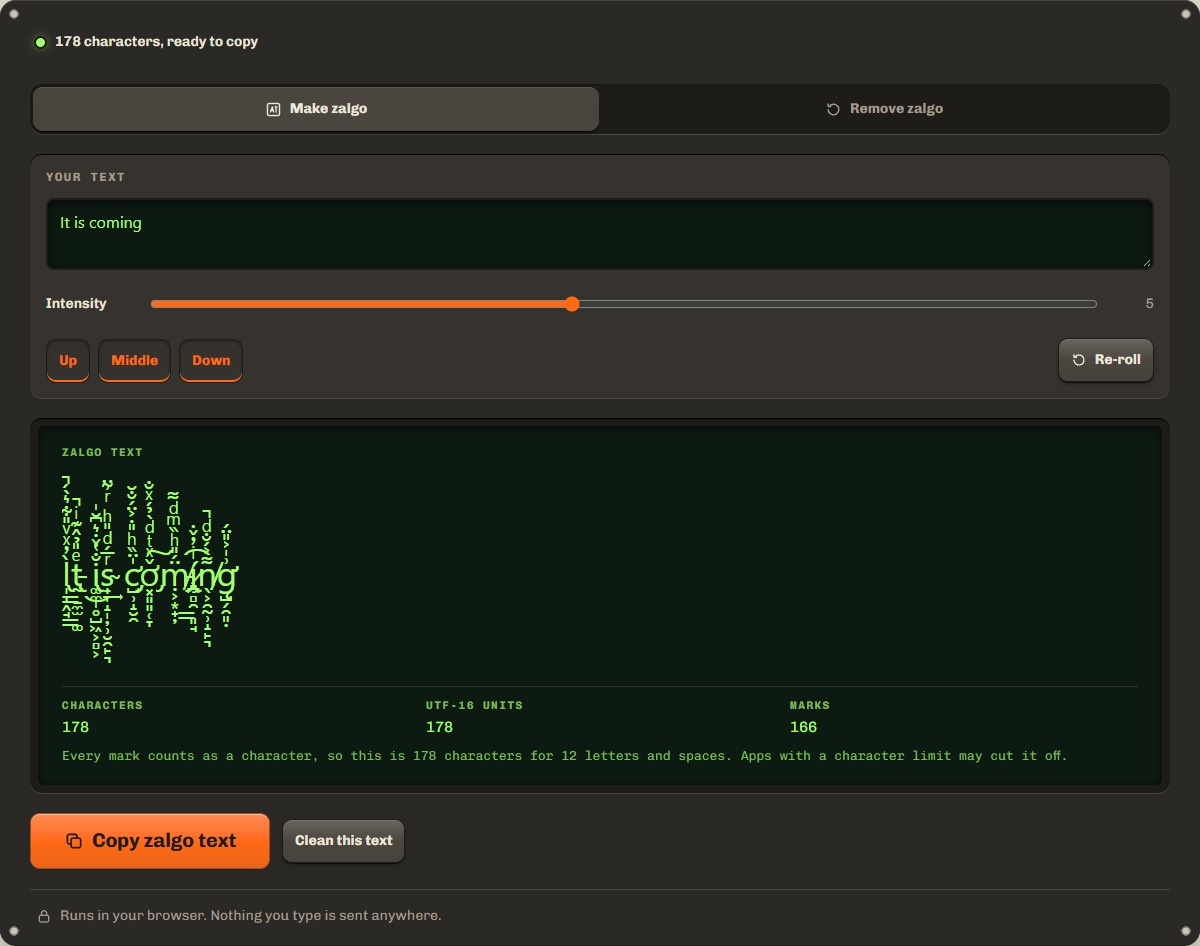
The same text and settings always give the same glitch, so what you see is what you copy. Re-roll picks a new random set of marks without changing anything else.
How it works: combining diacritical marks
Unicode has characters that do not stand alone: they attach to the letter before them. They are called combining marks, and the accents in many languages work this way, such as a grave accent on an a. Most of them live in the Combining Diacritical Marks block, U+0300 to U+036F.
Unicode does not limit how many marks one letter can carry, so a generator can stack a dozen or more. This one picks from 111 marks in that block, in three groups: up marks drawn above the letter, middle marks that strike through it or sit beside it, and down marks drawn below. At the highest intensity a letter gets up to 20 up marks, 4 middle marks and 20 down marks.
Where zalgo text works
Anywhere that accepts Unicode text can hold zalgo: social posts, bios, chat messages and game names are the usual places. How it looks is up to the app. Some draw the marks in full, so the text towers over the lines around it; others clip the marks to the line height or filter out long runs of them.
The main limit is length. A name field that allows 20 characters fits only a letter or two at a high intensity, because each mark counts. The counter under the output shows characters (code points) and UTF-16 units, since apps count one or the other. For posts, check the length with the Bluesky character counter or the Threads character counter.
How to remove zalgo text
Switch the tool to Remove zalgo and paste the glitch text. It strips every combining mark in the block above, plus the extended and supplement mark blocks and the marks for symbols that other generators use, and shows the clean text to copy.
Letters typed with an accent as a single character, such as é from most keyboards, keep their accent. An accent typed as a separate mark is removed with the rest, so check names in languages that use many accents after you clean them. To find invisible characters that zalgo text sometimes carries too, use the invisible character tool.
FAQ
What is zalgo text?
Zalgo text is normal text with many combining marks stacked on each letter, so it looks glitched, melted or cursed. The name comes from an internet horror meme. The letters are still there under the marks, which is why it stays readable at low intensity.
Why did my zalgo text get cut off?
Every mark is a character of its own, so one word can turn into hundreds of characters. Apps with a character limit count them all and cut the text or refuse it. Lower the intensity, or use fewer words, and watch the character count under the output.
Why does zalgo text look different on my phone?
Each app and font draws combining marks its own way. Some stack them high, some squeeze them together, and some clip them at the edge of the line, so the same text can look tall in one app and flat in another.
How do I get rid of zalgo text?
Paste it into the tool and switch to Remove zalgo. It takes the combining marks off and gives back the plain letters to copy.
Is zalgo text bad for screen readers?
Yes, it can be. A screen reader may read out each mark or skip the word, so people who use one may not understand it. Use it for fun, not for anything people need to read.
Related tools
All creator toolsCopy a blank character, or find hidden characters in pasted text.
Color words in a Discord message with an ansi code block.
Check that a post fits the 500 character limit of Threads.
Maintained by NabeelUpdated Nov 22, 2026.