Discord Timestamp Generator
Make a Discord timestamp that every reader sees in their own time zone, and convert a code back to a date.
Loading your time zone
The time is in your own time zone. Pick another zone if the event is set somewhere else.
Long date and time: how readers see it
--
<t:...>
All 7 formats
- --
- --
- --
- --
- --
- --
- --
Settings
Discord writes each timestamp in the reader's app language. Pick one to see how it reads for friends who use it. The code you copy stays the same.
Runs in your browser. Nothing is sent anywhere. Not affiliated with Discord.
How to make a Discord timestamp
A Discord timestamp is a short code such as <t:1794686400:F> that Discord shows as a date and time. The number is the Unix time, the seconds since January 1, 1970 in UTC, so it means the same moment for everyone. Discord then writes that moment in each reader's own time zone and language. A raid at 8 PM in London reads 3 PM to a friend in New York, with nobody doing the math.
- Step 1Pick the date and timeIt starts at now, in your time zone. Change the zone if the event is set somewhere else.
- Step 2Choose a formatTap a row to see how it reads. Long date and time is the clearest for events.
- Step 3Copy and pasteCopy the code into a Discord message. Each reader sees it in their own time.
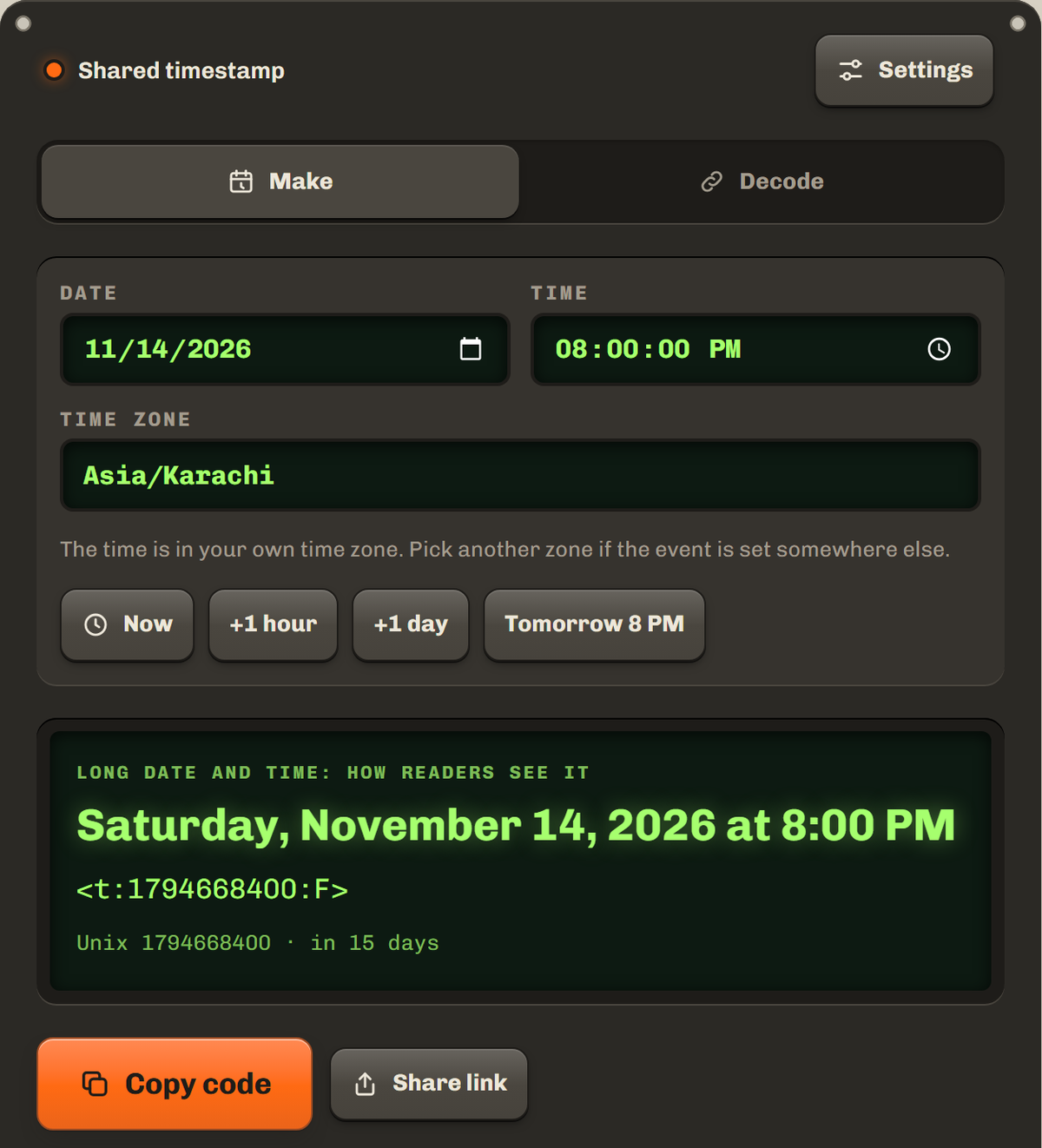
The quick keys set common times in one tap: Now, one hour or one day later, and tomorrow at 8 PM. Share link copies a link to this page with your time in it, so a friend can open the same timestamp and copy it too.
Discord timestamp formats
Discord has 7 timestamp styles, set by the letter after the second colon (Discord developer docs). The examples below are for Saturday, November 14, 2026 at 20:00 UTC, as a reader in UTC sees them with Discord set to English (US) or English (UK). The relative example assumes the message is read two hours before.
| Style | Code | English (US) | English (UK) |
|---|---|---|---|
| Short time | :t | 8:00 PM | 20:00 |
| Long time | :T | 8:00:00 PM | 20:00:00 |
| Short date | :d | 11/14/2026 | 14/11/2026 |
| Long date | :D | November 14, 2026 | 14 November 2026 |
| Short date and time (default) | :f | November 14, 2026 at 8:00 PM | 14 November 2026 at 20:00 |
| Long date and time | :F | Saturday, November 14, 2026 at 8:00 PM | Saturday, 14 November 2026 at 20:00 |
| Relative time | :R | in 2 hours | in 2 hours |
For an event, Long date and time (:F) is the clearest, because it names the weekday. Add a relative code after it, such as "<t:1794686400:F> (<t:1794686400:R>)", and readers see both the date and how long is left. Short time (:t) fits a schedule where the day is already clear.
To make the rest of an announcement stand out, the Discord text color generator colors words in a code block. Send the timestamp on its own line, outside that block, because codes inside a code block show as plain text.
Discord time converter: one time, every time zone
One code shows a different clock time to each reader, and that is the point: nobody has to convert anything. Here is the same code,<t:1794686400:F>, as readers in seven cities see it.
| Reader in | Time zone | What they see |
|---|---|---|
| Los Angeles | America/Los_Angeles | Saturday, November 14, 2026 at 12:00 PM |
| New York | America/New_York | Saturday, November 14, 2026 at 3:00 PM |
| London | Europe/London | Saturday, November 14, 2026 at 8:00 PM |
| Berlin | Europe/Berlin | Saturday, November 14, 2026 at 9:00 PM |
| Mumbai | Asia/Kolkata | Sunday, November 15, 2026 at 1:30 AM |
| Tokyo | Asia/Tokyo | Sunday, November 15, 2026 at 5:00 AM |
| Sydney | Australia/Sydney | Sunday, November 15, 2026 at 7:00 AM |
The time zone box in the generator is for the person writing the code. Pick the zone the event is planned in, type the time as it is there, and the code is right for everyone. Around a daylight saving change the generator tells you when a time is skipped or happens twice, and which moment the code uses.
Using timestamps in bots, embeds and events
Bots send the same codes as people do. In an embed, codes work in the description and in field values. The separate timestamp field of an embed is not a code: it takes an ISO 8601 date and shows in the footer (embed object docs). Libraries have helpers that write the code for you: time(date, "R") in discord.js (docs) and discord.utils.format_dt(dt, "R") in discord.py (docs).
For a scheduled server event, Discord asks for the start time in its own form. Put a timestamp in the announcement message as well, with :F and :R, so members see the start in their own time without opening the event.
Decode a timestamp someone sent
Switch the tool to Decode and paste a code, or a whole message with several codes in it. You see each date in your time zone, how long ago or ahead it is, the UTC time and the Unix number. Tap Edit in the generator to change the time and copy a new code.
The decoder also reads a bare Unix time, in seconds or milliseconds, and a Discord ID. Every message, user and server ID holds the moment it was made (Discord snowflakes), so pasting a message ID shows when the message was sent.
FAQ
How do I make a timestamp in Discord?
Type <t:, then the Unix time in seconds, then a colon and a style letter, then >. For example <t:1794686400:F>. Discord turns the code into a date when you send the message. This generator works out the Unix time for you from a date, a time and a time zone.
Why does my timestamp show the wrong time?
Usually the time was picked in the wrong time zone. If you typed 8 PM while the generator was set to your own zone but meant 8 PM in New York, set the zone to America/New_York and copy the code again. If one reader sees a wrong time and everyone else is right, their device clock or time zone setting is off, because Discord uses the zone of the device it runs on.
Can I use a timestamp in a server name or nickname?
No. Discord turns codes into dates only where it reads message formatting, such as messages and, for bots, the description and field values of an embed. In a server name, a channel name or a nickname the code shows as plain text.
Does it work on mobile?
Yes. The codes show as dates in the Discord apps for iPhone and Android as well as on desktop and the web. This generator also works in a phone browser: pick the date and time, tap Copy code, then paste it into the Discord app.
What is the default Discord timestamp format?
A code without a letter, such as <t:1794686400>, uses the short date and time style, the same as :f. In US English it reads like November 14, 2026 at 8:00 PM.
Does the relative time update by itself?
Yes. A code with :R reads like in 2 hours or 3 days ago, and Discord updates it while the message is on screen, so it stays right as time passes.
Related tools
All everyday toolsColor words in a Discord message, with bold and underline.
Check that an announcement fits Bluesky's 300 character limit.
See a stream or video thumbnail among other videos before you post it.
Check that the text on a server banner or event image is easy to read.
Maintained by NabeelUpdated Oct 29, 2026.