Water Eject Sound
A low 165 Hz tone with a timer, to help shake water out of a phone speaker. A common method, not a guaranteed fix.
Ready
Hold the phone with the speaker facing down, so water can run out.
Not a guaranteed fix. Afterwards, let the phone dry as its maker says.
Not a guaranteed fix. Playing a tone can help push drops out of the speaker grille. It does not dry the inside of the phone. Apple and Samsung say to dry a wet phone without heat and let it air dry, so do that too.
How to use the water eject sound
- Step 1Dry the outsideUnplug the phone and wipe it with a soft, lint-free cloth.
- Step 2Speaker facing downHold the phone with the speaker grille facing the floor, so water can run out.
- Step 3Play the soundTap Play the sound. A 165 Hz tone plays for 30 seconds (or 15, 30 or 60 seconds, as you choose). Raise the volume only as far as it plays cleanly.
- Step 4Let it dryWipe away any drops, then leave the phone to dry in open air, as the maker says. Do not charge it while it is wet.
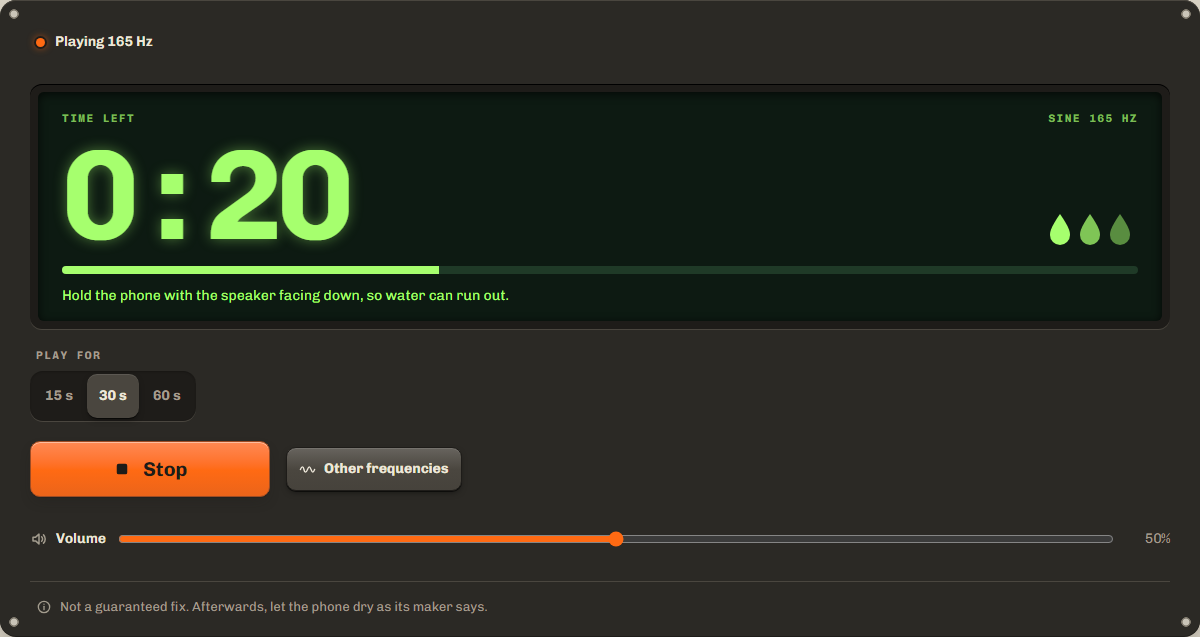
The page plays a steady sine tone and stops by itself when the timer ends. It also stops if you switch to another app or tab. To try another frequency, open the tone generator, which starts at 165 Hz from that link.
Why a low tone, and why 165 Hz
A speaker makes sound by moving a thin cone back and forth. Water in the grille in front of it can muffle the sound. A low tone makes the cone move further than a high one, and the moving air can push drops out, most of all when the grille faces down.
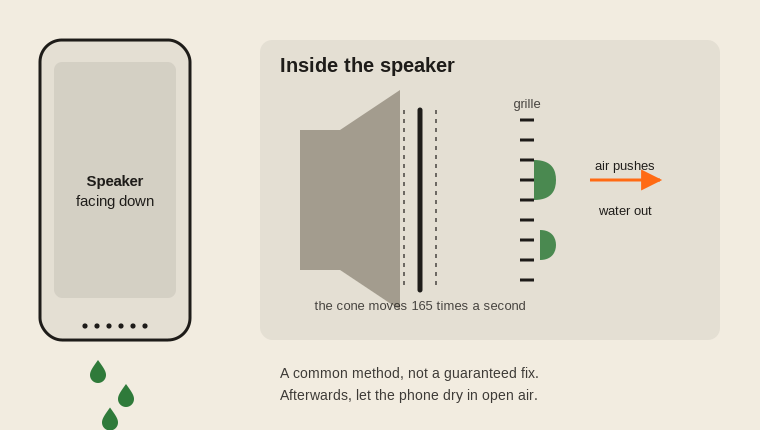
The same idea is built into Apple Watch. When you turn off Water Lock, Apple says,"a series of tones plays to clear any water that remains in the speaker". For phones, no maker offers such a sound or says which tone to use. 165 Hz is simply the tone that water eject apps and websites commonly use. We found no independent test that shows it works better than another low tone, so this page does not claim it does.
What Apple and Samsung say to do
For an iPhone that got wet, Apple's splash and water resistance page says to tap the phone gently against your hand with the connector facing down, then leave it in a dry place with some airflow. A fan blowing cool air into the connector may help. Do not dry it with a heat source, and do not put a cotton swab or a paper towel into the connector. Wait at least 5 hours before you charge it with a cable.
If the iPhone shows a liquid detection alert, Apple's alert page adds: no compressed air, and do not put the iPhone in a bag of rice, because small rice particles can damage it. Drying can take up to 24 hours.
Samsung's Galaxy speaker troubleshooting page says water in the speakers can cause sound problems. Dry the device at once with a clean, soft cloth, remove as much water as you can, and do not use heat. After salt water, rinse it with fresh water and dry it well.
If the sound is still muffled once the phone is completely dry, contact the maker or a repair service. Apple notes that water resistance is not permanent and can decrease with normal wear.
Volume and safety
The tool starts at 50% and warns you above 80%. A small phone speaker cannot play a loud low tone cleanly: it buzzes or rattles. That is a sign to turn it down, not up. Stop at once if it sounds harsh.
Play it through the phone's own speaker only. Unplug headphones and turn off Bluetooth speakers and earbuds first: a steady tone at full volume close to your ears is unpleasant and can be harmful.
FAQ
Does a water eject sound really work?
It may help push drops out of the speaker grille, and Apple Watch uses tones to clear its own speaker. But no phone maker tells you to play a tone, and we found no independent test of it for phones. Use it as an extra, and let the phone dry as the maker says.
Why 165 Hz?
It is the tone that water eject apps and websites commonly use. Phone makers do not publish a frequency, so there is no official number. A low tone makes the speaker move more, which is the idea behind it.
Should I put my phone in rice?
Apple says not to: rice particles can damage the iPhone. Apple and Samsung both say to dry the phone without heat, and Apple says not to put a cotton swab or paper towel into the connector.
How long should I play it?
30 seconds is a good start. You can play it two or three times. If the sound is still muffled, stop and let the phone dry: playing longer does not dry the inside.
Can it damage my speaker?
A loud low tone can make a small speaker buzz or rattle. Keep the volume where the tone sounds clean, and stop at once if it rattles badly. Never play it into headphones or earbuds.
Does it work for an Android phone or an iPad?
The sound plays on any device with a browser, but it can only reach the speaker. It does nothing for the charging port, the microphones or the inside of the device.
Related tools
All audio toolsCheck both speakers once the phone is dry.
Check that sound plays at all.
Play any other frequency.
Maintained by NabeelUpdated Oct 23, 2026.