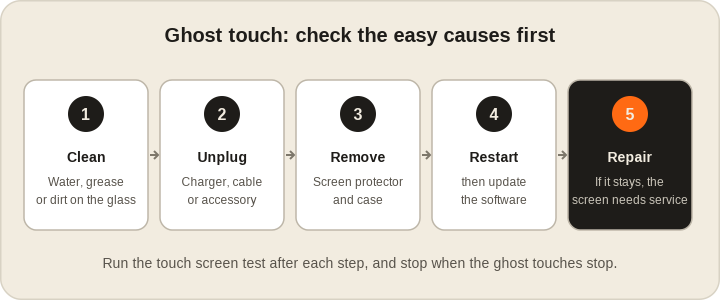
Ghost touch is when a phone or tablet reacts with nobody touching it: apps open by themselves, the keyboard types letters you did not press, or the screen scrolls on its own. Most of the time the cause is outside the screen itself, so start with the quick fixes. Clean the glass, unplug the charger and any accessory, take off the screen protector and the case, then restart and update the device. Test after each step. If touches still appear on a clean, bare screen with nothing plugged in, the touch layer is likely faulty and the screen needs repair.
First, prove it is ghost touch
A screen that “does things by itself” can also be a stuck button, an accessibility feature, or an app that misbehaves. So confirm it before you change anything.
- Open the touch screen test and choose Ghost touch.
- Tap Start the watch, put the device flat on a table and take your hands away.
- For 30 seconds the test counts every touch it sees and marks where it landed.
Zero touches is the right answer. If touches appear, you have ghost touch, and the marks show you where on the screen it happens. Run the watch again after each fix below, so you know which step worked.
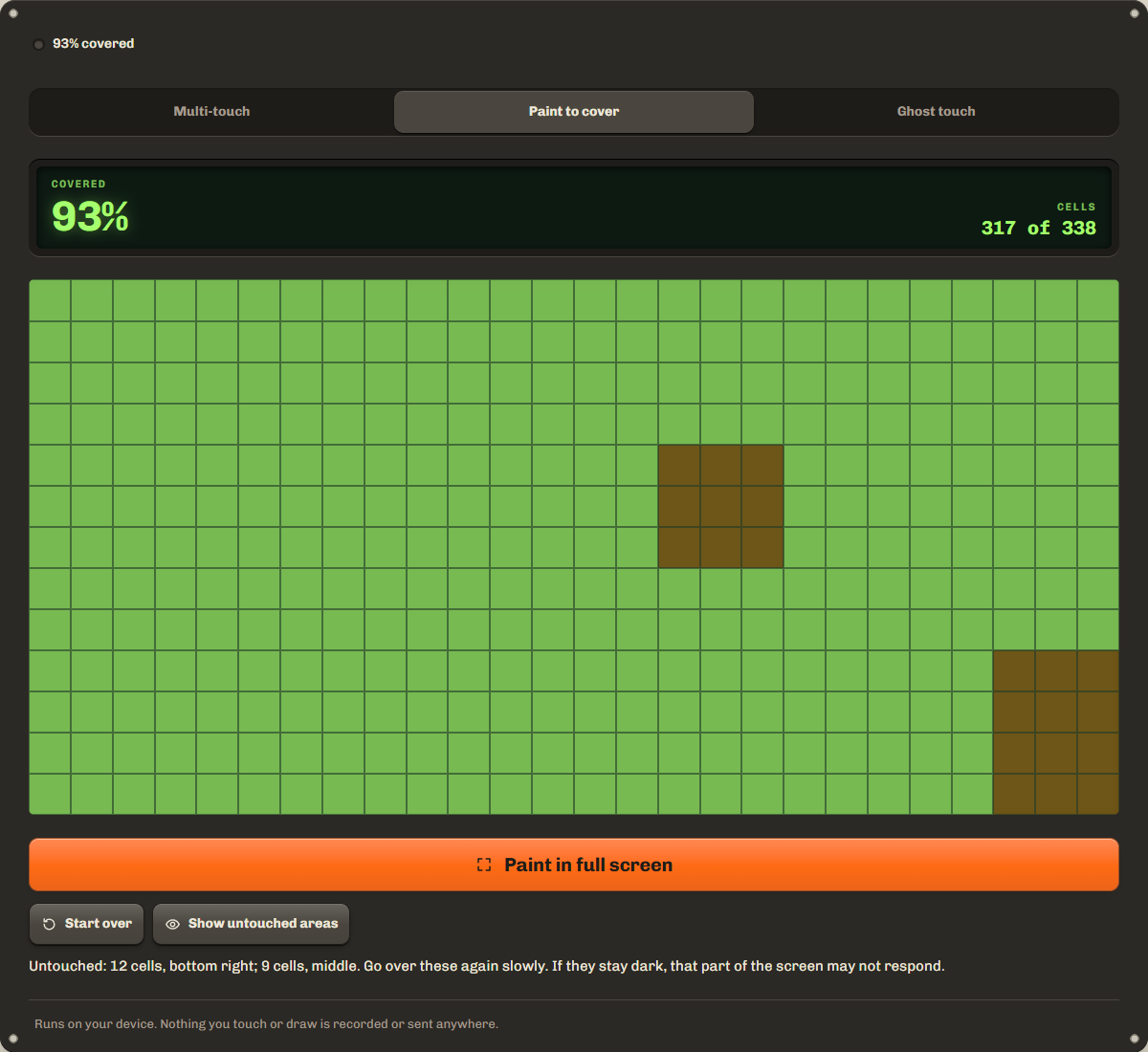
Then switch to Paint to cover and drag a finger over the whole screen. Ghost touch often comes with the opposite problem: a strip or patch that does not respond to a real finger. Knowing both helps a repair shop.
Clean and dry the screen
A touch screen reads tiny changes in charge on the glass. Water drops, sweat, grease and crumbs can look like a finger to it. Apple’s first checks for a screen that is too sensitive or responds on and off include making sure that “your screen is clean and free of any debris or water” (Apple Support). Google gives the same advice for Pixel phones: make sure the screen is clean, take off gloves, and peel off any stickers over the screen or sensors (Pixel Phone Help).
Turn the screen off, wipe it with a soft, slightly damp cloth, dry it, and dry your hands too. If the phone got wet, let it dry fully before you judge the screen.
Unplug the charger and accessories
A faulty charger or cable can disturb the touch layer, and ghost touch that only happens while charging is a classic sign. Apple lists it directly: “Disconnect any Lightning or USB-C accessories.” If the screen works after that, Apple suggests trying a different outlet, cable or charger (Apple Support).
Try this:
- Unplug the charger and run the ghost touch watch again.
- Plug it back in and run it once more. If touches only appear while it charges, replace the charger or cable, preferably with the maker’s own or a certified one.
- Unplug other accessories too: a USB hub, a game controller clip, a keyboard case.
Remove the screen protector and the case
A protector that is lifting at an edge, has a bubble, or is cracked can press on the glass or trap moisture. A tight case can press on the edge of the screen. Apple’s list says to “remove any cases or screen protectors”, and Google’s Pixel help says to try removing the case or screen protector to see if touch improves (Pixel Phone Help). Google also warns that you may not be able to put the same protector back on, so have a spare ready if you rely on one.
If the problem stops with the protector off, the fix is a new, well-fitted protector. On Pixel phones that have it, check Screen protector mode under touch sensitivity in the display settings: Google lists turning it on or off as one of the steps, so set it to match whether you use a protector.
Restart and update
A restart clears a stuck touch driver or an app that is reading input wrongly. It is the first item in Apple’s list for a screen that is too sensitive. After the restart, check for a system update: makers fix touch bugs in software updates.
- iPhone and iPad: restart, then go to Settings > General > Software Update.
- Android: restart, then go to Settings > System > System update. The menu names differ between makers.
If the ghost touches happen in only one app, the app may be the cause. Google says that if the touch issue only happens in a specific app, contact the app developer. Update the app, or remove it and see if the problem stops.
Check settings that look like ghost touch
Some features make the screen act by itself on purpose. Before you book a repair, check that none of these are on:
- Accessibility tools that click or move for you, such as switch control, voice control or a dwell or auto click feature.
- Gestures that answer to the edge of the screen, such as palm swipe or edge panels, which can fire when you hold the phone.
- A stuck or shaking side button, which can wake the screen, take screenshots or start the assistant.
Turn them off one at a time and run the ghost touch watch again.
When ghost touch means repair
If you see touches on a clean, dry screen, with no protector, no case and nothing plugged in, after a restart and the latest update, the cause is very likely hardware: the touch layer, the display connector or damage from a drop or pressure. Apple’s advice is that if part of your screen does not respond, responds on and off, or responds even when it is not touched, contact Apple Support for service (Apple Support). For other phones, contact the maker or the store, especially if the device is under warranty.
Before you go, write down what you found:
- How many touches the 30 second watch counted, and where the marks were.
- Whether it happens only while charging, only in one app, or all the time.
- Any patch that Paint to cover could not light.
Back up the phone first. A screen repair usually means the display is replaced, and a shop may need to reset the device.
Can a factory reset fix ghost touch?
Sometimes, when the cause is software. It erases the device, so it is the last software step, after the restart and updates, and only with a backup. If ghost touches still appear right after a reset, before you install any apps, the problem is hardware and a reset again will not help.
Ghost touch on a laptop or tablet with a pen
Touch laptops and 2 in 1 tablets have the same kind of touch layer. Clean the screen, unplug the charger and test again, then update the touch screen driver through the maker’s update tool or Windows Update. A docking station or a cheap USB charger can cause the same symptoms as on a phone. The touch screen test works in any modern browser with touch, so you can run the same checks there.